@John_Wallet, Please understand that OctoPrint can be installed on (almost) any platform that supports Python 3 and has its own version number, currently 1.9.0.
OctoPi is the operating system for Raspberry Pi systems and has its own version number, currently 1.0.0. While it is a bit confusing, there are currently two "flavors" of 1.0.0. One with the "old" camera support and one with the "new camera stack".
I believe you are now running the new camera stack image of OctoPi 1.0.0. Your Raspberry Pi camera V3 should work with this version and if it doesn't, then the details will matter as we attempt to help you get it working.
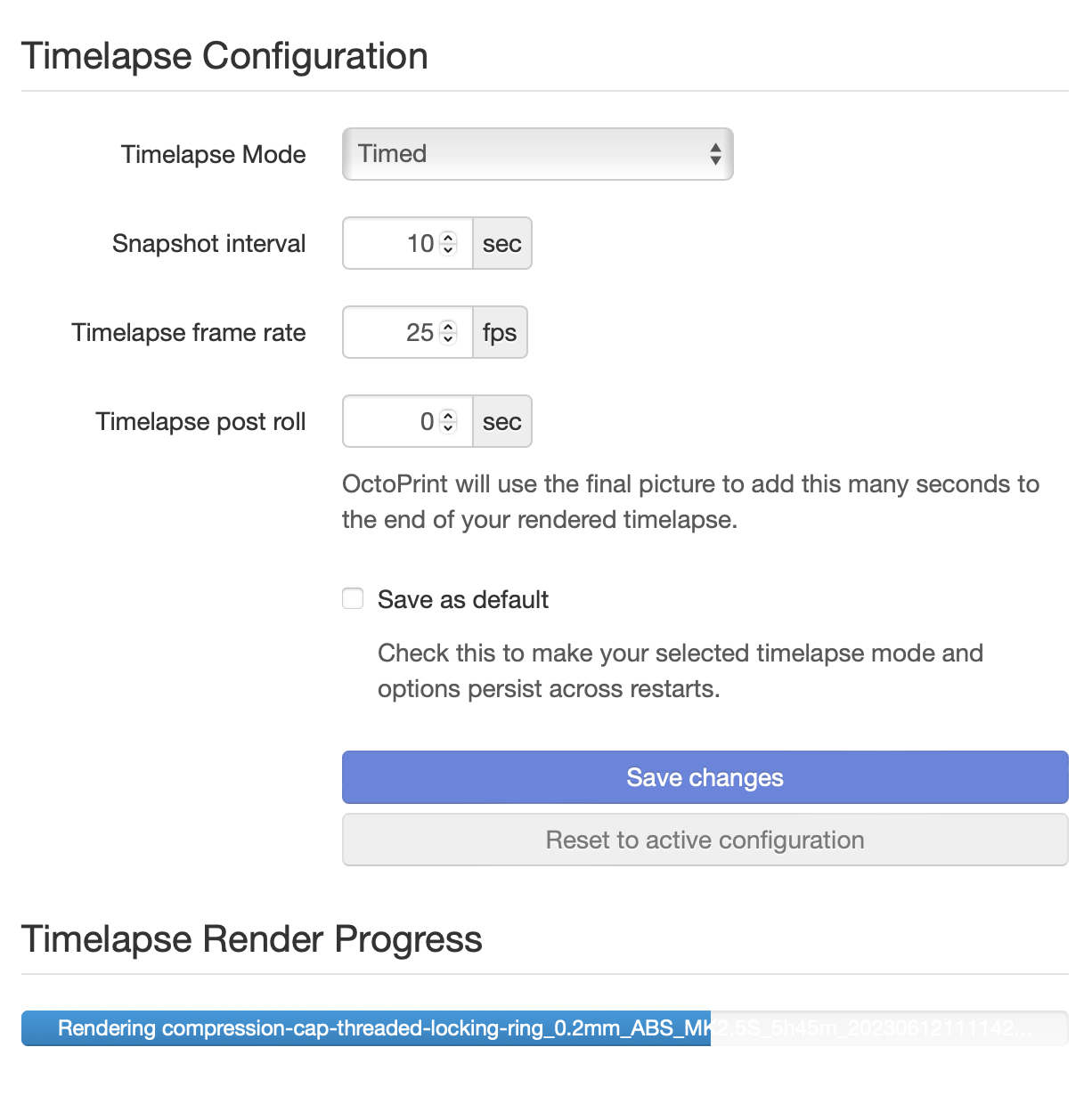
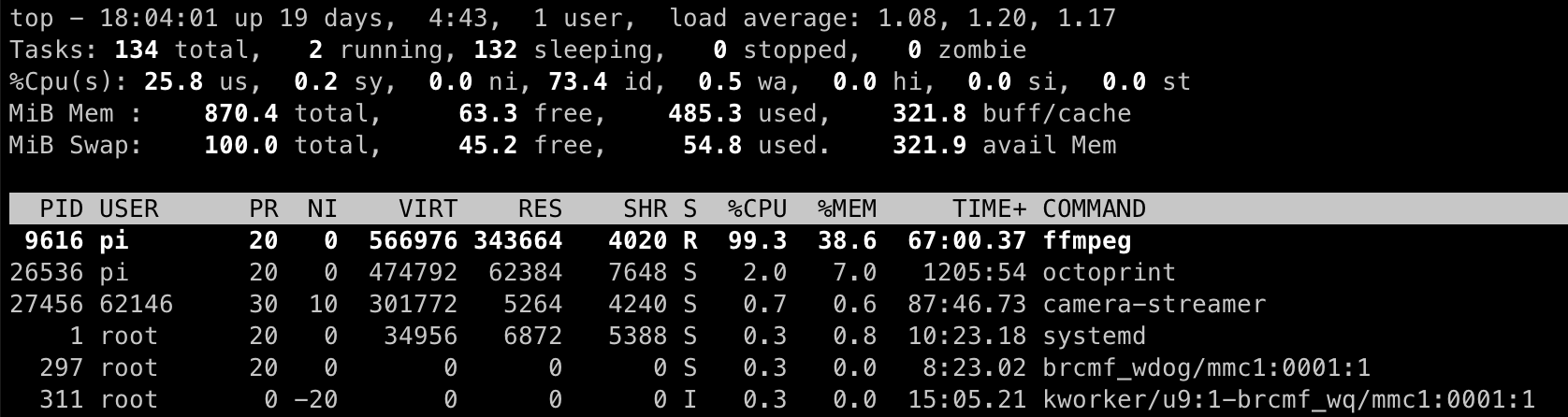
I just ran a 5 hr print with Timelapse and it's been rendering for the past hour, I don't remember this taking so long before. Maybe I used Z change before.
Testing out the new image and camera stack and I am curious about others' experience with a specific behavior. I have 3 webcams connected right now. Those are at:
I am using MultiCam to support these. In the browser on my computer this works great. However, on mobile IOS devices I can only load the first stream. The others will not load. Whether directly using the links above or the camera streams in the OctoPrint interface only the 8080 cam loads on my IOS devices.
I know this isn't an issue with the new camera support but I am curious if others have seen similar behavior or perhaps someone else has this working as expected.
Just a note that I tried the new OctoPi with the updated camera stack. I get zero image. I've had this before. I have gotten it to work in the past, but it took a lot of research and digging, plus updates & configs.
Please open a new topic with as much info as possible, we might be able to troubleshoot to understand the issue and work out a solution instead of just accepting it doesn't work.
I've downloaded and installed the new stack onto a new, unused RPi 4 while a day-long print is active on my existing server. Plan is to move over to this new hardware after I get some preliminaries set up.
I'm all excited about the possibilities here - I had a number of problems before trying to get state-of-the-art cameras (such as Insta360 Link) up and running... eventually out of time (or was it patience?) and ended up with no camera at all. No fault here, but I hope for better now.
I am having trouble figuring out how to get started. I'm fairly certain my OctoPi setup is solid... it's the camera stuff I am missing. There are vague configuration references like '' Camera settings are done through individual conf files - one per camera - available directly on the /boot partition" and a mention of shared configurations with no reference to how they're shared, what can be found, and where..." so I'm completely in the dark (still) regarding cameras. Did I use a wrong starting point? Would someone be so kind as to point me to what I need in order to get started?
Thank you, Slacker. To recap: you're telling me to read the very thread to which this reply belongs. OK. Did it again. No instructions... just a summary of what the poster has been working on, along with some vague references I mentioned before. Any helpful hints for getting started?
I believe I am looking at the whole post. I do not see a "show full post" or similar button. Only "Continue discussion." Let me try this differently, since the consensus so far seems to be that i'm missing it: In what section of this document would I find those instructions?
I see What's new, where to get it, and what's next.....
That is correct. You asked for someone to point you to where to get started. I am suggesting that the instructions you need are in the actual post and the link I gave you is to the actual post. In that post is a link to the camera-streamer FAQ to get the new camera stack set up. If you read that and are still having issues can you be specific about what part you are having issues with so we have some idea of how to help you?
As I have said in the original post... I have that part up and running; not sure how "I've downloaded and installed the new stack onto a new, unused RPi 4" can be misunderstood, but whatever. It was the camera part that confused me. The obscure camera-streamer FAQ is probably what I need.
The links to the FAQ aren't "obscure". The FAQ is linked twice before the HOW TO GET IT section. If you have problems after carefully reading that FAQ and are unable to get it working then coming back here with specific questions might get you on tract.
You are using a pre-release image. That means you can expect some less-than-optimal documentation which would require a little more work and attention to detail. If that isn't you maybe consider waiting until the documentation is complete. At the risk of sounding like a jerk (which you certainly do) I can read things for you but I cannot understand them for you.
OctoPrint team, I apologize. I can't sit by and not point out when people are being whiny jerks....
delovelady, let's recap.
You asked for help indicating you had the image installed but didn't know where to start.
I offered that you missed the documentation and provided a link.
You got snarky.
Someone else tried to explain you are only reading comments and not the instructions.
You asked how to see the instructions that I posted three comments above and to which you got snarky. You gave the paragraph headers from the instructions but still didn't have any idea where to start because you didn't actually read the instructions.
I pointed that out and even reposted the link that is in those instructions not once but TWICE. I suggested you read them carefully and come back with specific questions to get on track.
Someone else chimed in confused because despite being told several times to read the instructions you keep ignoring them and getting snarky with those trying to tell you that you are NOT reading the instructions.
Your response was to say the links in the instructions which are a different color than the rest of the text to make them stick out are obscure.
Obscure: So faintly perceptible as to lack clear delineation; indistinct
A different color and underlined is hardly faintly perceptable or indistinct, but twice you said they are obscure. So I suggested if you are not able to read and carefully follow these instructions you should wait until this is an actual supported, documented release. I also pointed out every response you gave indicates you are a jerk. You asked for help, people gave you help, you ignored it and got more rude with each response. I say again that there isn't anyone here that will understand the instructions for you. You need to read, test, and when you have problems ask for help. But refusing to read and then complaining nobody is helping you is lazy. Being rude when others point that out makes you a jerk. Nothing in any of my responses was unprofessional or incorrect. You are a jerk and pointing that out does not make me unprofessional.