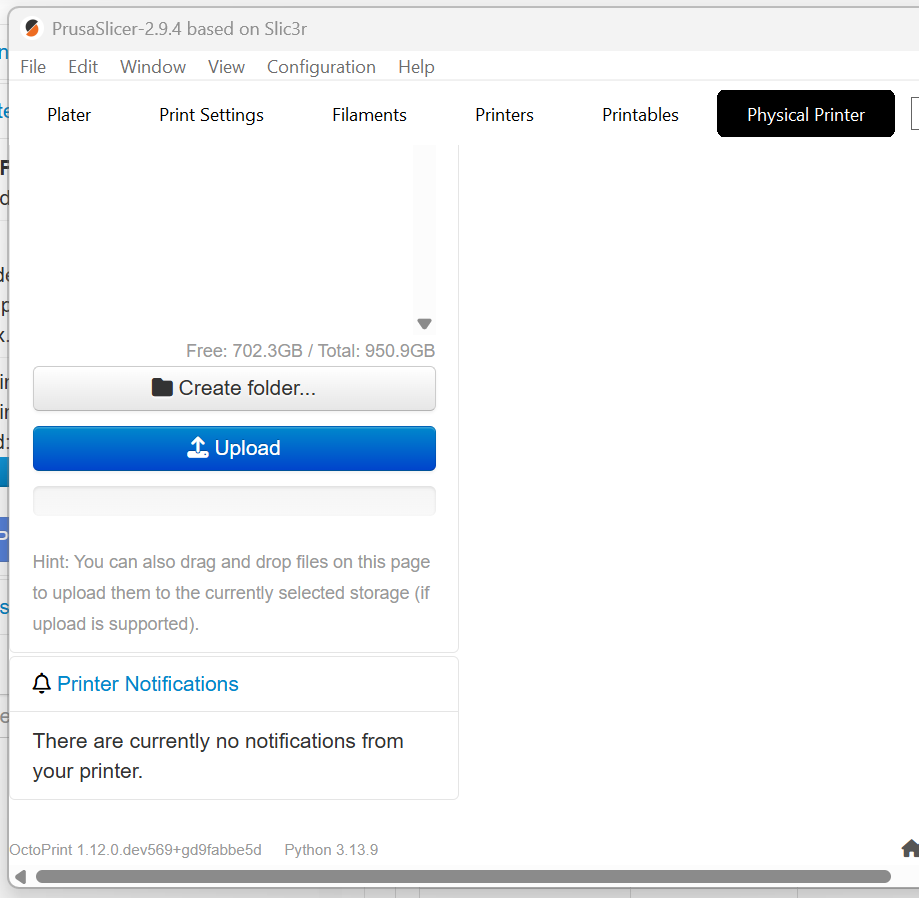
Short version: PrusaSlicer's embedded web browser ("physical printer" tab of PrusaSlicer) is unable to load the Octoprint UI after upgrading to Octoprint 1.11.6.
Background: I have PrusaSlicer 2.9.4 configured with a "physical printer" defined for octopi.local using an application API key. My normal workflow is to slice, then click the option to "upload and print", whereupon PrusaSlicer connects to Octoprint, uploads, and starts the print via REST. I can then switch to PrusaSlicer's "Physical Printer" tab, which loads the Octoprint UI using the web browser embedded in PrusaSlicer.
All the above was working correctly with Octoprint 1.11.5. After upgrading to 1.11.6 today, PrusaSlicer's "Physical Printer" tab would not load the Octoprint UI. It connects, but is stuck displaying "Loading OctoPrint's UI, please wait" and never loads the page. Reboots of Pi and PC did not help. A standalone web browser (Edge) from the same PC loads the UI just fine.
Note that PrusaSlicer can still connect, can still upload gcode, and can still start the print via REST as always, so this isn't a network problem or API key problem. But the embedded web browser on PrusaSlicer's "Physical Printer" tab is unable to load the Octoprint 1.11.6 UI.
I rolled back to 1.11.5, and PrusaSlicer is again able to load the Octoprint UI correctly.
System bundle attached. These logs include output for both 1.11.6 and 1.11.5. For example, Octoprint.log initially shows 1.11.6 running; the restart at line 257 is after I reinstalled 1.11.5 and restarted the service. The timestamps there can be used to differentiate 1.11.6 and 1.11.5 in the other logs.
I've confirmed it's already fixed, just a release hasn't been made yet to send update notifications, Gina is waiting to see if there's any other issues that pop up due to the work/overhead involved with releasing a version upgrade.
Learning opportunity for me... Apologies, but my knowledge Github and Octoprint branch structure is limited.
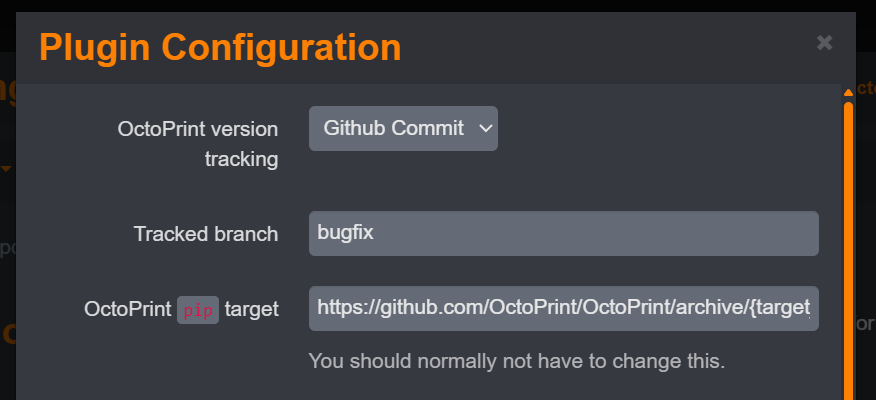
When I change the update settings to "Github Commit" and "bugfix" branch as shown in your post, I get a 404 error from Octoprint. Do I also need to change the target path field (../refs/heads/bugfix.zip?).
The error I see logged when configure per your example is as follows.
2026-02-01 17:37:35,724 - octoprint.plugins.softwareupdate.version_checks.github_commit - ERROR - GitHub API error: Not Found (HTTP 404)
2026-02-01 17:37:35,724 - octoprint.plugins.softwareupdate - WARNING - Could not check octoprint for updates due to an API error: GitHub API error: Not Found (HTTP 404)
I'm not sure if it's why but I do have a GitHub personal access token added to my config. That does basically provide authentication to GitHub. I didn't change the URL from default it's https://github.com/OctoPrint/OctoPrint/archive/{target_version}.zip.
Strange... I had dismissed the need for a personal access token as a "fix" here because the UI comments indicated "rate limiting" as a symptom it was needed, and I wasn't seeing that.
But based on your reply I went ahead and created a private access token and entered it in the Octoprint dialog. At first, I got the same error ('404 not found'). But on a second try, it worked and offered the update. Odd, not sure why it didn't work immediately -- maybe some caching issues.
In any case... I now have the bugfix commit installed and the problem with PrusaSlicer's webview is resolved with Gina's fix. Apparently the "personal access token" is needed to resolve more than just the "rate limit" condition.
Thanks for the help, sir! I really appreciate your response and all your work on multiple plugins.