Bed Level Visualizer

So I had a question about logging the bed data for each print. What I would like to do is store date/time and the data into a text file.

I am seeing some wild swings in my bed level print to print and I would like to log what its doing. See if I can nail down whats going on.

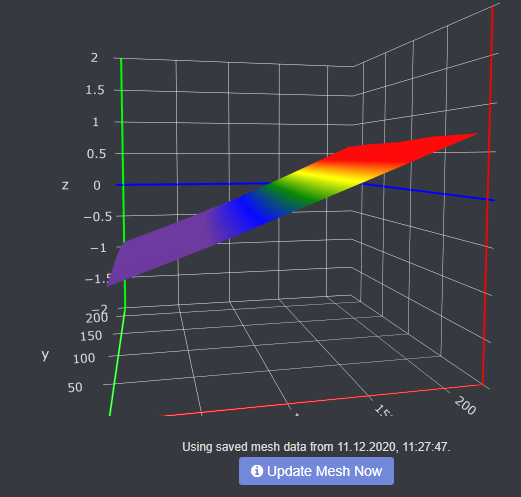
As an example here are 2 bed meshes a few days apart 2 prints.

Thanks

-R

So the closest thing that I have for this is the saving local snapshots when you run the leveling process. It was introduced in the last version release for this feature request here but there was discussion of logging that mesh data itself. Feel free to fill out a feature request to get that on the very long list of stuff to fix/implement, which only occurs in my spare time outside of work hours here.

I have a suggestion, Is it possible to write a g-code script that would run a bed level before each print and pause the print if the variance is above a predetermined level? I’ve had a few where a piece of plastic ended up under my bed sheet and ruined a large print.

And I have a second question, for prusa users, should we not always run a panda probe calibration prior to each leveller run? Is it possible to add this?

What I mean is shouldn’t we make sure the pinda probe is at its working temperature every time we check the bed leveller? Not just the hot end and bed upto working temp.

Based on your handle and your next question that I'll also be quoting you are using a Prusa printer. I'll respond as if this is true.

The default printer profiles in PrusaSlicer for Prusa printers should already have a mesh level command (M80 G80) in the start-up custom gcode, so it should happen at the start of every print. AFAIK, the firmware should alert and at least pause if the readings are too far from the original calibration values.

It is easy enough to do this by warming the PINDA 2 with the bed before printing by modifying the start custom gcode in your slicer. See this excellent website for a discussion about PINDA warm up:


And check out his custom start code in this page (I use a slightly modified version of this on my own MK3S):
1 Like

Hi,

since yesterday i have troubles with my Bed Vizualizer.
image

I leveled my bed manually, so that image can not be the truth.

Does Bed Visualizer does not receive any data?

The bed visualiser only reports what is sent to it by the firmware. Look at the terminal tab while it is probing, wait for the output and observe - I would say this is less a BLV issue and more your firmware. If you can't make sense of this, enable 'debug logging' in the settings, then upload it & someone will take a look

Hey, thanks for your sepsonse.

Here is my output:
[2020-12-11 19:01:08,202] DEBUG: mesh collection started
[2020-12-11 19:03:41,672] DEBUG: [u'-0.724', u'-0.403', u'-0.052', u'+0.309', u'+0.672']
[2020-12-11 19:03:41,676] DEBUG: [u'-0.735', u'-0.415', u'-0.067', u'+0.313', u'+0.685']
[2020-12-11 19:03:41,679] DEBUG: [u'-0.733', u'-0.428', u'-0.102', u'+0.271', u'+0.643']
[2020-12-11 19:03:41,682] DEBUG: [u'-0.778', u'-0.464', u'-0.135', u'+0.237', u'+0.630']
[2020-12-11 19:03:41,685] DEBUG: [u'-0.872', u'-0.561', u'-0.217', u'+0.178', u'+0.600']
[2020-12-11 19:03:41,701] DEBUG: {'z_min': 0, 'y_min': 0, 'x_max': 220.0, 'x_min': 0, 'type': 'rectangular', 'y_max': 220.0, 'z_max': 250.0}
[2020-12-11 19:03:41,702] DEBUG: stopping mesh collection
[2020-12-11 19:03:41,704] DEBUG: [[u'-0.724', u'-0.403', u'-0.052', u'+0.309', u'+0.672'], [u'-0.735', u'-0.415', u'-0.067', u'+0.313', u'+0.685'], [u'-0.733', u'-0.428', u'-0.102', u'+0.271', u'+0.643'], [u'-0.778', u'-0.464', u'-0.135', u'+0.237', u'+0.630'], [u'-0.872', u'-0.561', u'-0.217', u'+0.178', u'+0.600']]

Therefore some informations from the Terminal:
Send: G28
Recv: T:22.58 /0.00 B:22.77 /0.00 @:0 B@:0
Recv: echo:busy: processing
Recv: T:22.58 /0.00 B:22.73 /0.00 @:0 B@:0
Recv: echo:busy: processing
Recv: T:22.50 /0.00 B:22.85 /0.00 @:0 B@:0
Recv: echo:busy: processing
Recv: T:22.50 /0.00 B:22.73 /0.00 @:0 B@:0
Recv: echo:busy: processing
Recv: T:22.50 /0.00 B:22.70 /0.00 @:0 B@:0
Recv: echo:busy: processing
Recv: T:22.50 /0.00 B:22.81 /0.00 @:0 B@:0
Recv: echo:busy: processing
Recv: T:22.58 /0.00 B:22.85 /0.00 @:0 B@:0
Recv: echo:busy: processing
Recv: T:22.62 /0.00 B:22.73 /0.00 @:0 B@:0
Recv: echo:busy: processing
Recv: T:22.54 /0.00 B:22.77 /0.00 @:0 B@:0
Recv: echo:busy: processing
Recv: T:22.58 /0.00 B:22.81 /0.00 @:0 B@:0
Recv: X:147.00 Y:117.00 Z:10.78 E:3766.20 Count X:11760 Y:9360 Z:4460
Recv: ok
Send: G29 T
Recv: T:22.66 /0.00 B:22.85 /0.00 @:0 B@:0
Recv: echo:busy: processing
Recv: T:22.58 /0.00 B:22.85 /0.00 @:0 B@:0
Recv: echo:busy: processing
......
Recv: Bilinear Leveling Grid:
Recv: 0 1 2 3 4
Recv: 0 -0.724 -0.403 -0.052 +0.309 +0.672
Recv: 1 -0.735 -0.415 -0.067 +0.313 +0.685
Recv: 2 -0.733 -0.428 -0.102 +0.271 +0.643
Recv: 3 -0.778 -0.464 -0.135 +0.237 +0.630
Recv: 4 -0.872 -0.561 -0.217 +0.178 +0.600
Recv:
Recv: X:220.00 Y:220.00 Z:10.13 E:3766.20 Count X:17600 Y:17600 Z:4460
Recv: ok
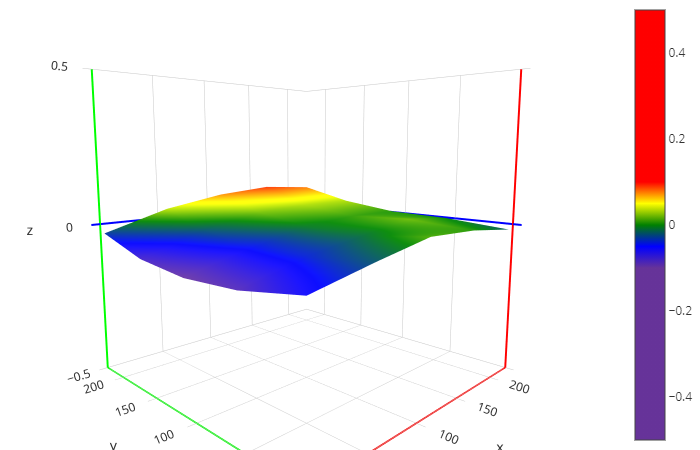
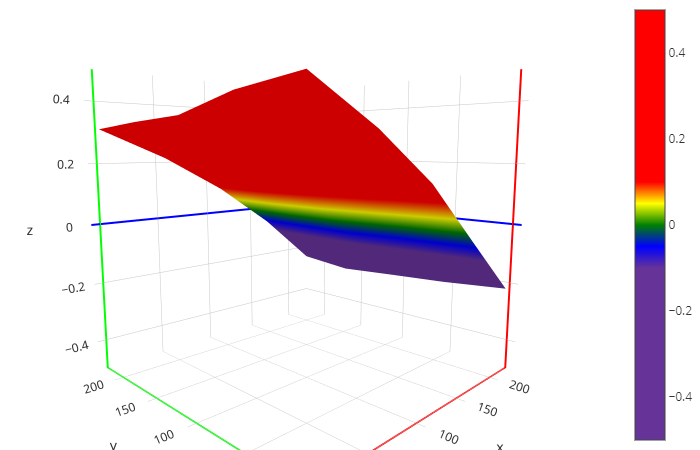
Hmm, something is up with the firmware if you truly believe you have it flat.

One thing to take into consideration is that the X axis rail may not be parallel to the bed surface. So while it is completely flat, it is not level in the printer's eyes. Because that is a fairly consistent slope, I would look at whether your printer's X gantry etc. is fully secured & lined up.

You were right.
I tightend one screw too much.
Now everything works fine

Thank you!

1 Like

Yes I am a prusa (mk3) useršŸ˜€Thanks for those links, I will have a good read. Is it possible to add theextra gcode into octoprint rather than my slicer? Would make it easier to import gcode from other places, and reprint my already sliced prints who I spent ages on fiddling with slicer settings?

Difficult. The extra gcode also includes changes to gcode. It might be easier to change existing gcode by hand instead of relying on an algorithm to try to find where the change needs to happen.

Ok yeah I see what you mean.

Will have a look at the gcode and try and decide which bits to change are the easiest.

It might be possible to work out what slicer settings I settled on by examining the gcode?

I just checked in PrusaSlicer, and you can import config from gcode (probably only if the gcode was generated by PrusaSlicer).

Try from the menu: File/Import/Import Config... and load one of your gcodes. I haven't tried this myself, but since you have a need why not give it a shot? Also, for future reference it might be advisable to save the project .3mf file once you've settled on the customized slicer settings for a print project. That way you can get back to the settings you used for more tuning.

Thanks again.

I’ll try and see what config details I can find

And you are correct about 3mf plan.

I shall add Dòing that to my workflow. Just laziness on my part

Andy

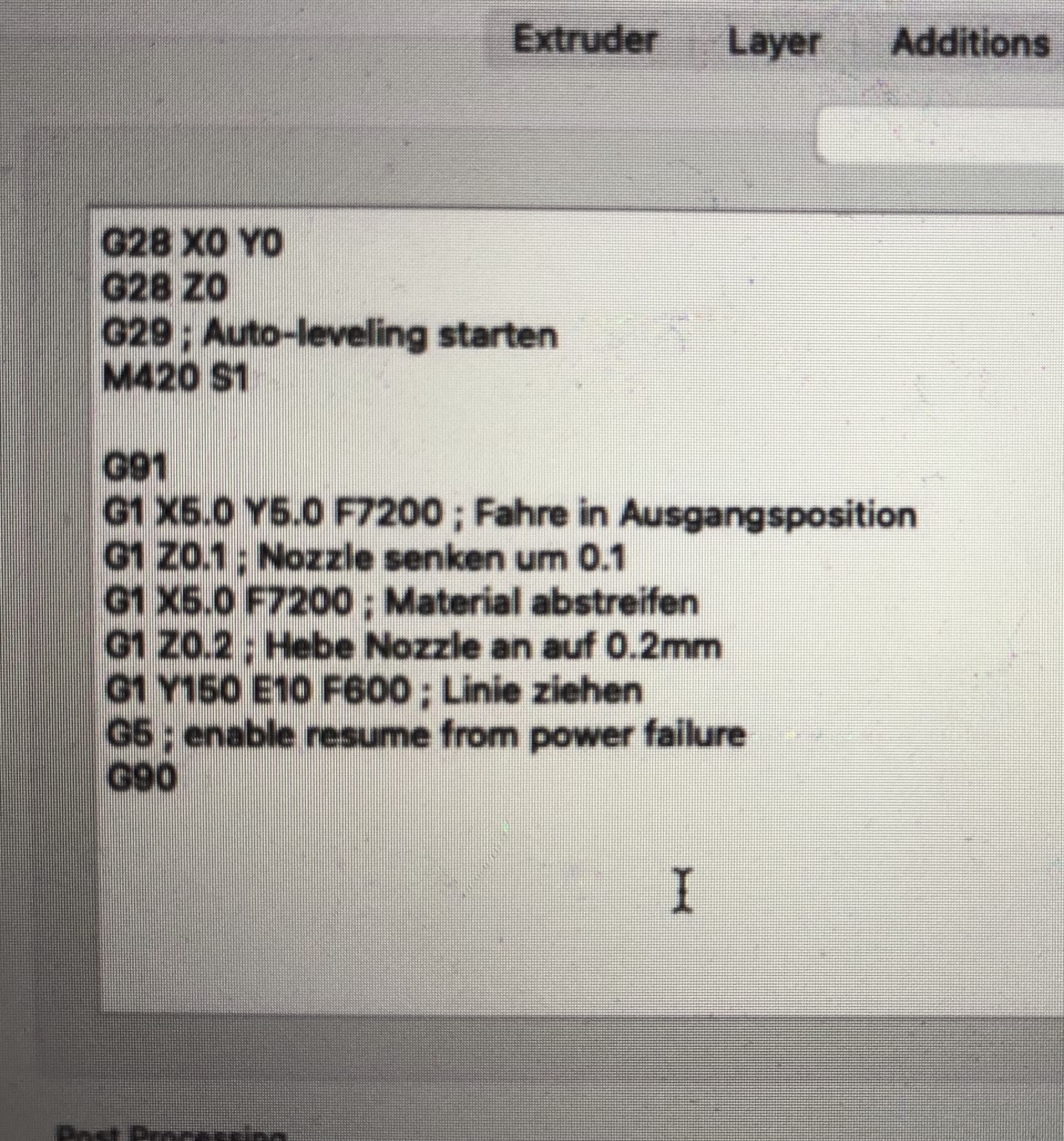
Hi everyone, i have an Anycubic i3 Mega with a X-Carriage MK3 and Piezo. I would like to install the plugin ā€žbed level vizualizerā€œ but Iā€˜m not shure how to setup it correctly. Could someone help me? Do I have to change someting in my start gcode in the slicer or just in octoprint? This is my start gcoden in the slicer

Thx a lot

Hello @Dare !

Keep the Start Gcode untouched.

You have to setup the BLV accordingly to your printer in the BLV settings: See the wiki

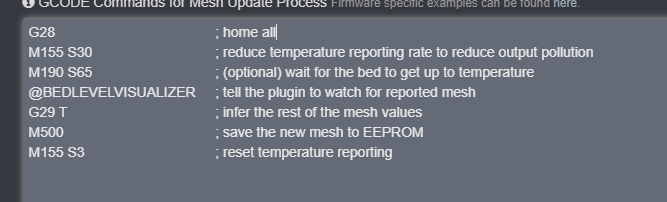
the BLV settings should look something like this. Screenshot 2021-03-01 082443

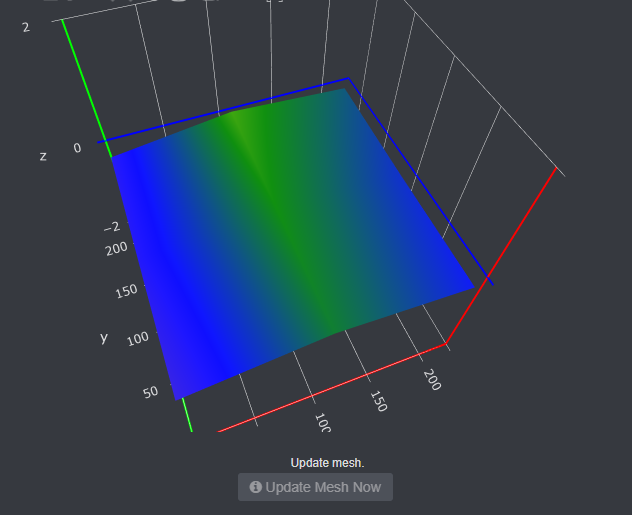
Which wil result in something like this:

Mind you, the 'm420 s1 z10' in my Octoprint startup GCODE is doing absolutely nothing for my first layer

The M420 S1 Z10 has another purpose:

[Z<linear>] 	Set Z fade height (Requires ENABLE_LEVELING_FADE_HEIGHT)

* With Fade enabled, bed leveling correction is gradually reduced as the nozzle gets closer to the Fade height. Above the Fade height no bed leveling compensation is applied at all, so movement is machine true.
* Set to 0 to disable fade, and leveling compensation will be fully applied to all layers of the print.

from:

So it should just be an 'M420 S1' in general?