I had this exact same issue. You get everything setup and try to SSH in and nothing! Here is what I did:
1 ) Hook up your raspberry pi to a monitor, keyboard, and mouse.
2 ) Manually login as "Pi" password "Raspberry" and it should drop you to a prompt.
- Type in "hostname -I" and then it should spit out your connection information. Use that IP address to SSH in or just keep the Pi hooked up until you are done setting it up.
If it didn't return an IP address then I suspect it's not actually connected, in which case you need to reedit the supplicant file on the SD card and double check your connection settings.
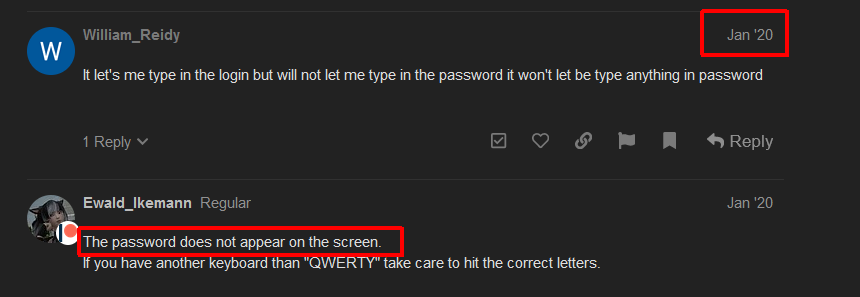
It let's me type in the login but will not let me type in the password it won't let be type anything in password
The password does not appear on the screen.
If you have another keyboard than "QWERTY" take care to hit the correct letters.
I have a similar problem, except mine is intermittent: "octopi.local: Name or service not known", and sometimes it works perfectly fine.
I can rlogin to the ip address, and if I have it ping itself at octopi.local, then it works, after which I can find octopi.local
At least, that's what happened this time...
So my guess here is that the router needs to learn of the alias, or something like...
I suppose a workaround would be to have the pi to run something at startup, but I've never had great success on the pi with startup programmes.
Thanks, I'll take a look drekly.
Keying in octopi.local into my Mac browser did nothing, so I connected a screen and keyboard. I have a load of script coming up on the screen, then the prompt. I logged in as pi and raspberry, entered hostname -i, and received 127.0.1.1, but I have no idea where it obtained that from. My SSSID and pw are correctly in the file I flashed. The IP should be 192....etc.
I have no idea what to do now. I would be grateful for any advice.
Roger
hostname -i isn't what you want, try ifconfig and/or iwconfig. Since you have a keyboard and monitor connected, you can also type sudo iwlist scan | grep -i essid and make sure your WiFi is listed.
Thank you. Found the problem. You can't have spaces in the SSID! Attached to my backup network that doesn't and all working now.
Roger
Logged into my router. Found the Octopi, clicked edit. Changed it to reserved IP and it worked for me. I'm not a pro but it seemed to fix it for me.
IP 127.0.0.1 is standard for localhost. It's set internal.
It's always a good choice to use IP-adresses before using names to avoid name resolution problems on first tests.
And it's always a good idea to use ping (it's a programm almost on every system available, use google for how to use) to make sure, that another whatever is available on network.
Here was what worked for me -
I was previously using this Pi over VNC Viewer and had an IP address reserved on my home network for it.
I was able to ping octopi.local/ but could not connect through a browser at URL or IP.
I removed IP address reservation from Pi and allowed it to use DHCP.
Power cycled Pi was able to connect via octopi.local/
I have a Verizon Fios, G3100 router and found my problem was one of the settings. I have Raspberry PI 3+ and couldn't connect to https://octopi.local or find the IP address on my router. I went in to my router settings and in Network/Wi-Fi/AdvancedSettings/802.11 Mode and changed the default setting which were "Legacy Mode (802.11b/g/n)" to "Compatibility Mode (802.11b/g/n/ax)" in both the 2.4 GHz and 5 GHz and made it work. This also fixed my Wyze security camera/light bulbs and HP paper printer's Wif-Fi issues.
Hello, can someone help me, I am trying to use octoprint to print from my computer or a remote location in the future, to a raspberry pi connected to my printer. I have set up octopi on the raspberry pi but I am having trouble connecting to it from a remote location. http://octopi.local did not work so I attempted to plug a keyboard, mouse, and monitor into the pi. I do this and my monitor displays a message that there is no signal coming from the pi and I have to press the keyboard to wake it up. I do so and it does not work. This is the only way I am able to find the IP address of my Pi. How would I fix this. Also, what would I do once I have the IP address? Thank you for your help in advance
Hey 
I think the best would be if you create a new topic so we can figure out what's wrong with your pi 
Thanks, That helped a lot.
It hides your password, however you are still entering it.
It is like **********abc
but instead just hides the characters.
I personally hate this solution.
i had a similiar problem but i got frustrated and just wanted it to work then it hit me.
i ran a patch cable from my router to my pi while my pi was off once everything was plugged in powered up my pi and 2 minutes my network was up and running once it was communicating no problems with the .local net worked just fine
just thought i would try something different