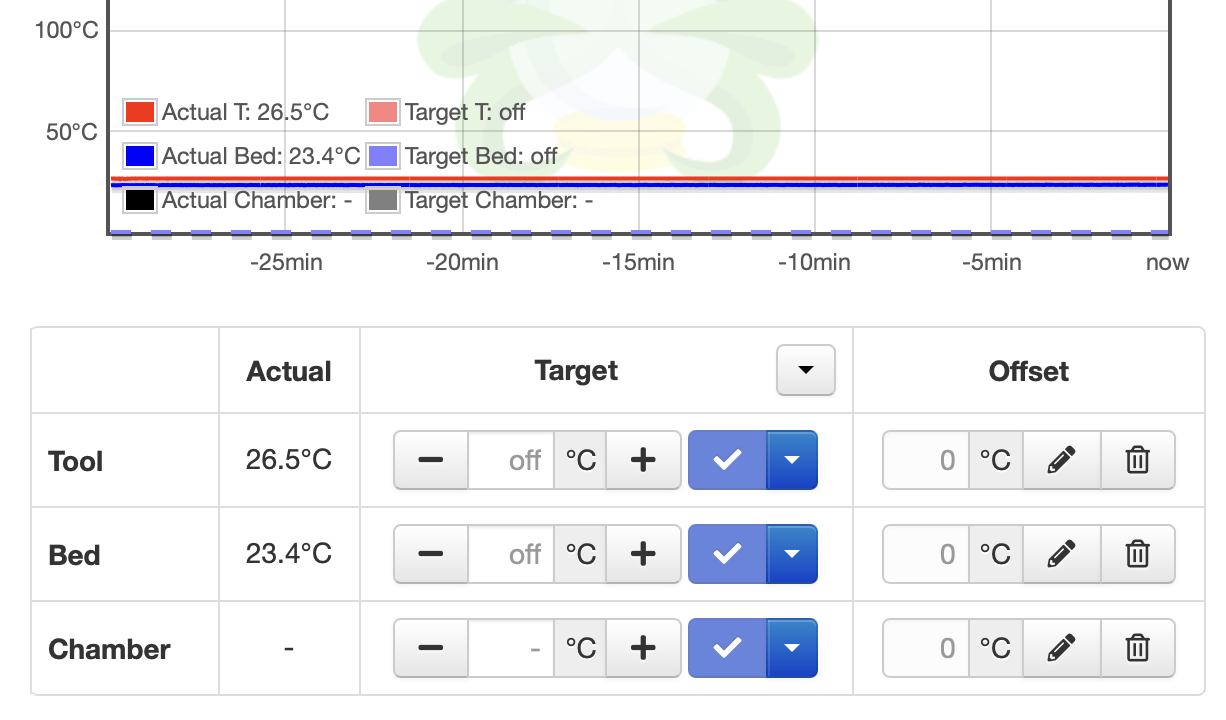
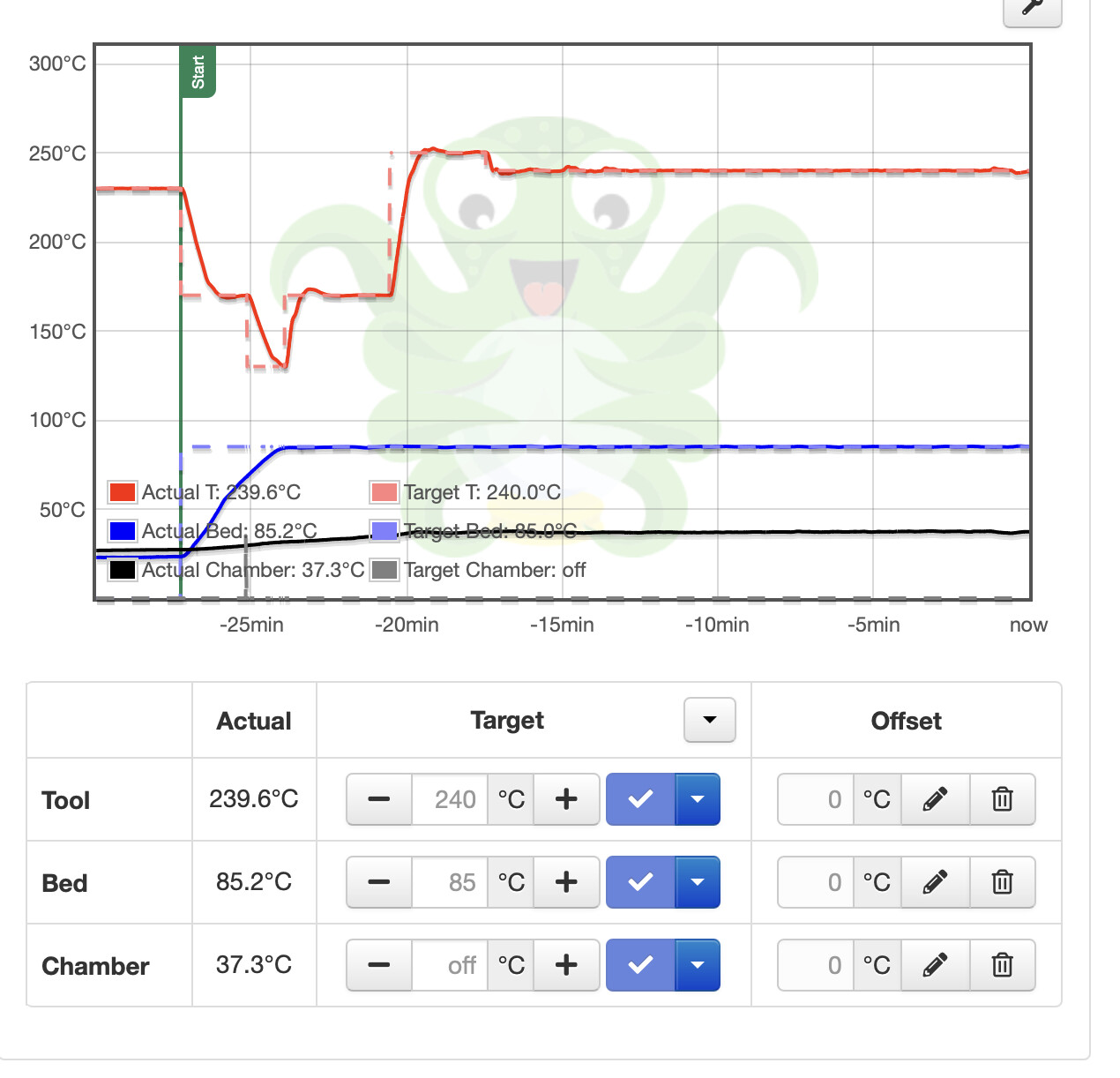
Chamber temperature not displaying in Octoprint, although there's a place for it. It is being displayed on the Core 1 bottom status line.
What did you already try to solve it?
Look at User Interface on Core 1 to see what was there. Current settings for the Core 1+ footer display are:
Nozzle temp
Bed temp
Filament sense
Chamber temp
Heat break temp
Filament sense is just a one or zero. Is Octoprint expecting something in this place, like chamber temp? I can reorder the display output to make it work. I did change the order but it does not result in a change in Octoprint's display.
Have you tried running in safe mode?
No
Did running in safe mode solve the problem?
n/a
Systeminfo Bundle
You can download this in OctoPrint's System Information dialog ... no bundle, no support!)
Which one of these data points is the Chamber temp? This is where OctoPrint is getting the temps from, but the native graphing filters for something like C:##.##/##.## and that's not there.
You could use my PlotlyTempGraph plugin to graph if one of those other lines are the Chamber, or add additional items to the temperature graph with other additional single file plugins.
I'm not sure, since the temps are so close to each other.
The temps are probably T:26.50 B:23.30 and maybe the C@:23.50, have no idea what the X:24.21/36.00 is. Although that 36.00 is curiously similar to what the chamber temperature was last set to.
I forgot I created a single file plugin to fix this in my gists for someone on Discord. Go to plugin manager > get more > ...from URL and copy/paste this URL and click install.
If Prusa displayed the temp as xx.x, I'd know which was which. Unfortunately they round the data and only display an integer. So the temps are very hard to correlate with the serial data stream.
As the chamber does not have an actual heater and instead uses ambient heat coming from the bed itself trapped in the chamber, it somewhat makes sense that there is no set field on the readout. not saying I approve of them breaking standard Marlin practices, but it is the only reason I can come up with personally.
FWIW, the set chamber temperature is not displayed. Only the actual temperature. So your patch is part way there, but not fully done. Don't know if Prusa sends the info, but as an Octoprint user, I don't see the set point displayed.
This is interesting. Apparently the info is present to display the chamber set point, but the appropriate field is not being updated. Notice the temp graph is showing the black dotted line info, but the box at the bottom is not being written to, in Octoprint.