That is to be assumed
I'm leaning more and more towards a very annoying nag screen if undervoltage is detected...
6 Likes
ive uninstalled most of the plugins and it seemed to help in the beginning but now it started crashing again. Im not getting undervoltage errors.
I have noticed that the printer display is not showing any information while printing. Just lid up screen.
So could you please share the complete systeminfo bundle. It's a zip-file you can upload here.
I replaced my pi and put a fresh install on it. So far so good.
Great. In the future though, please share the information you've now been repeatedly been asked for by both the template and community members. We are not asking for that stuff to annoy you, but because we are actually doing our best to help you. For that we need the information in the systeminfo bundle however, and withholding it while still asking for help is incredibly frustrating for those who want to help, increasing the likelihood they'll ignore you to keep their own sanity.
This kind of self sabotage that I constantly have to witness here and on the issue tracker frankly boggles my mind.
sorry for the misunderstanding, I added the zip with the system info. I thought it was the information I already pasted as text.
octoprint-systeminfo-20210612222443.zip (96.6 KB)
sorry for the frustration. hope this helps
1 Like
I hope you have a way better power supply with that one.
With that log, there is a constant undervoltage issue present:
2021-06-10 02:21:22,534 - octoprint.plugins.pi_support - WARNING - This Raspberry Pi is reporting problems that might lead to bad performance or errors caused by overheating or insufficient power.
!!! UNDERVOLTAGE REPORTED !!! Make sure that the power supply and power cable are capable of supplying enough voltage and current to your Pi.
That’s strange. I don’t see it in the GUI. I power my pi with a din rail psu. Dialed in the correct voltage (Checked with multimeter) and connected that to the ground and 5v of the pi.
I was planning to make and open wire micro usb cable instead but still with the same power supply.
I can dail it up a bit but I’m afraid to fry the pi.
5.1V is still ok.
Do you have some info (link or so) about the PSU you use?
MDR-40-5
Before use I dailed it to the Pi's voltage requirements.
Try to dial in while it's connected and running.
With load, the voltage may drop a bit.
I’ll will try that definitely. But I’ll first switch from the pinout to the micro usb since that is more protected.
Just need to wait for the cable to get in.
It’s a nice custom case, would be a shame to no use the din rail psu.
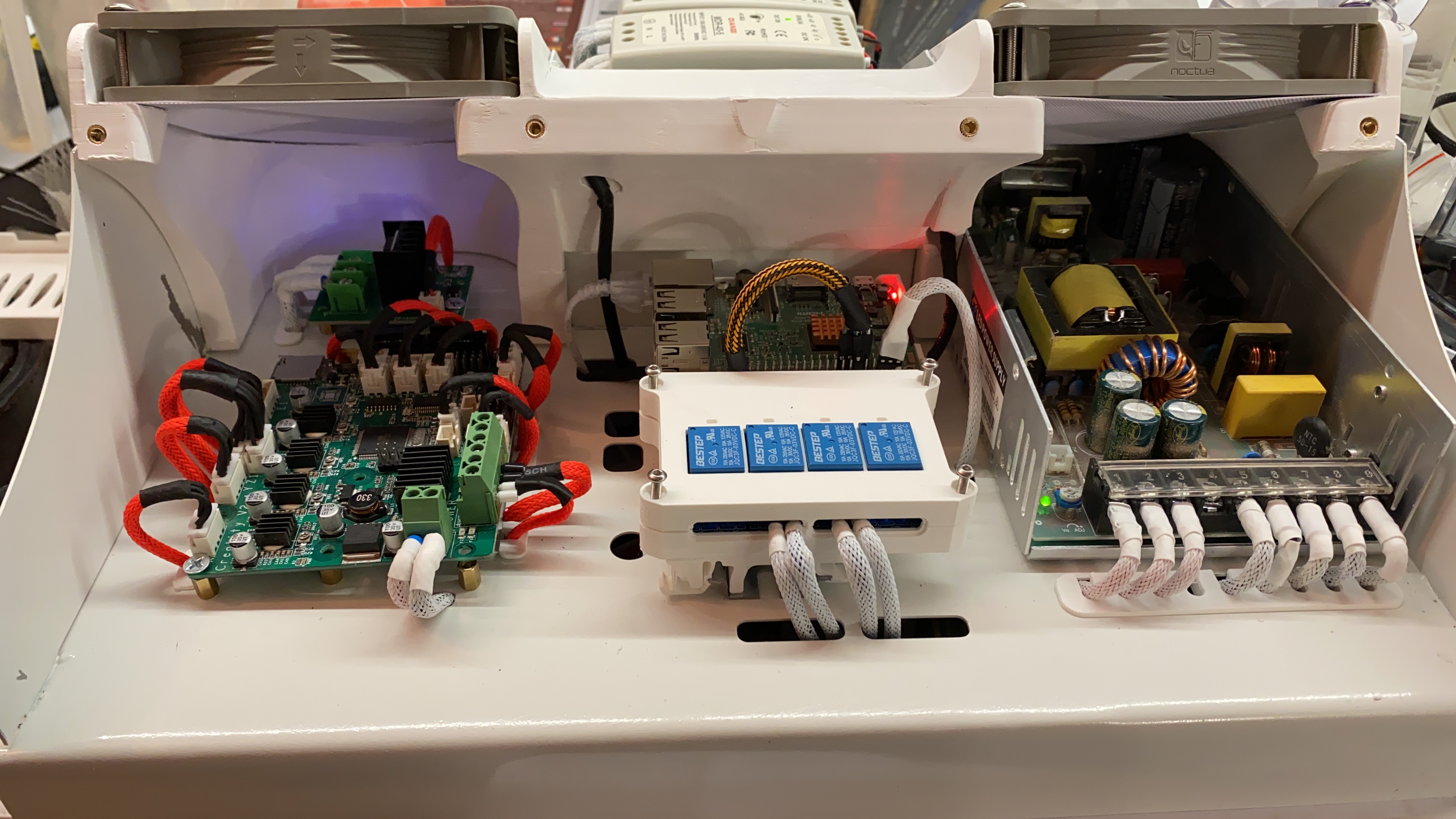
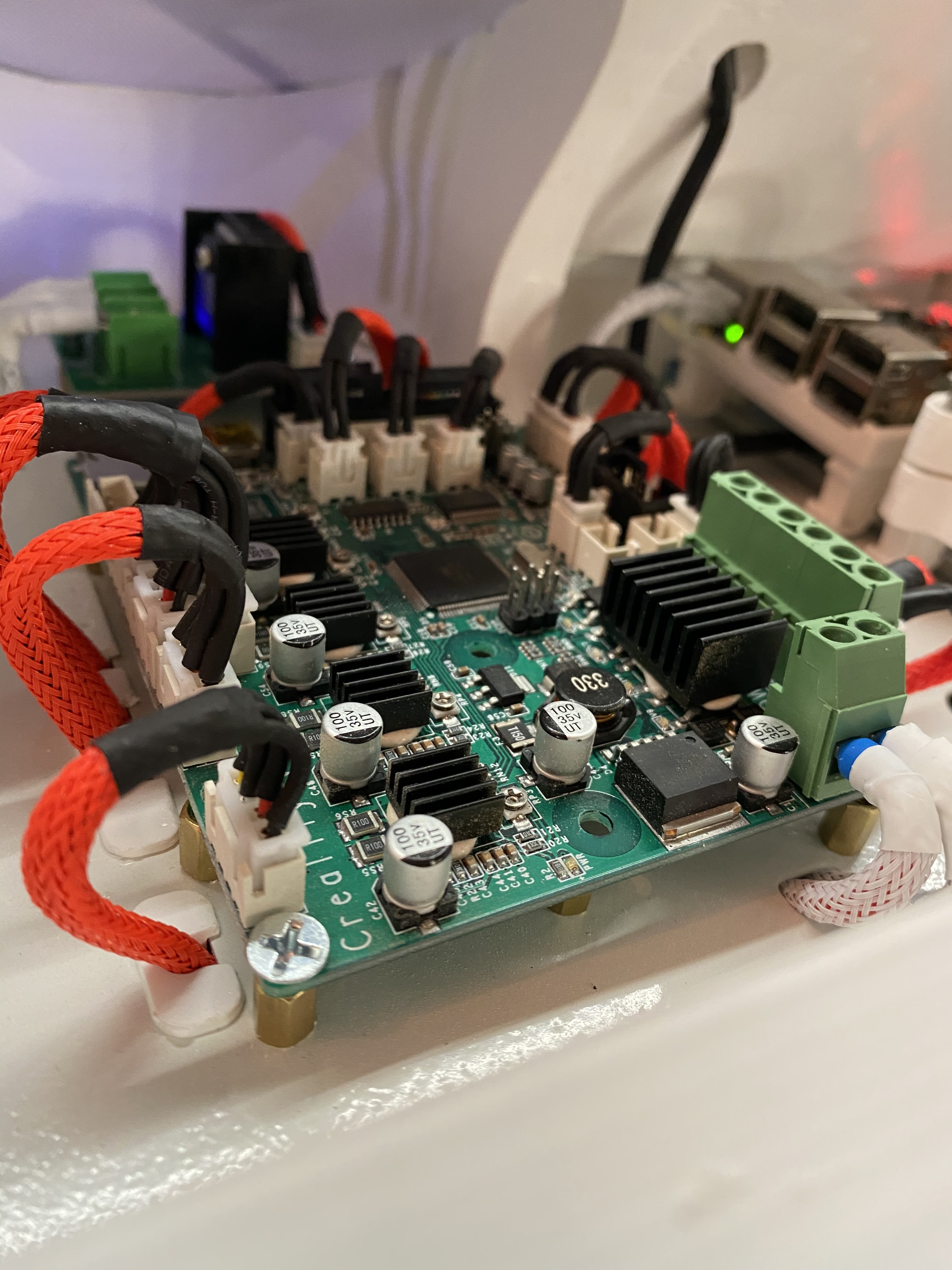
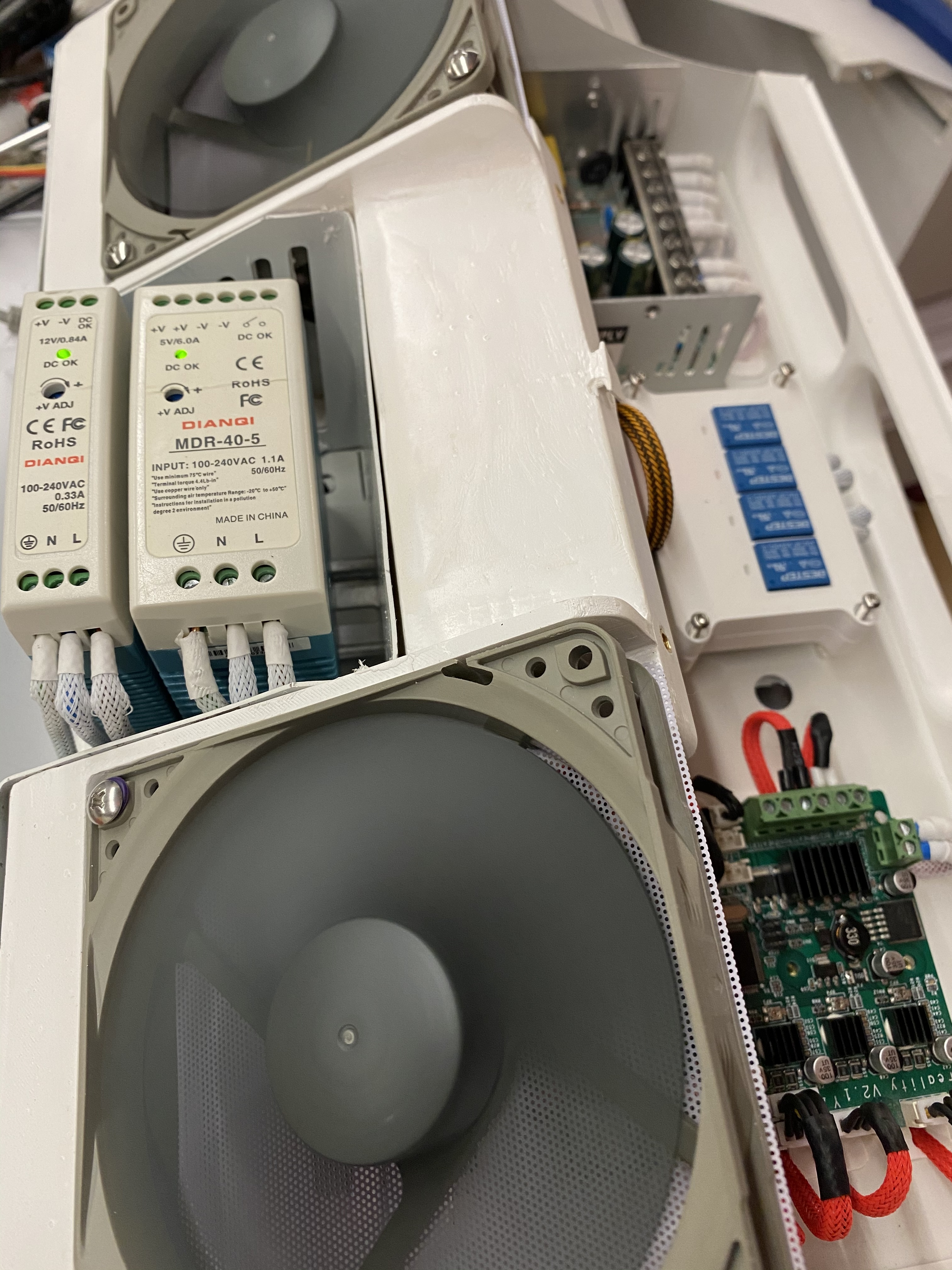
1 Like
Looks great!
But I really recommend to leave the PSU closed, or print a cover for it for better cooling.
Chances are great to get shocked by the high voltage components when you are working in that area.
It's a matter of safety
2 Likes
I cant cover it or the 120mm fan wont be able to blow on it. The entire thing is closed (not in the picture) by a curved bit of plexiglas. The front has the exit holes so the air has a nice flow.  no worries about safety. Not working on the case is the power is on. I do wish the psu would be a bit nicer looking on the inside though.
Honestly, I never saw such a power supply has to be cooled by a 120mm fan.
It's quite over done. These are so efficient, they do not produce so much heat.
Unless you are using a LED power supply. But I don't think you will bother your printer with such a device...
Well the 60mm fan that was in the psu was very low quality and noisy. The reason I went for this instead is because you can run the fans at a lower speed making them noise free, also it doesn’t only cool the psu is also cools the pi a bit. 
Yes, I had this problem, the unit worked fine until I added a few plugins that then caused the Undervoltage, changed to Pi power supply and all fixed, Mabey change the background on the screen to Red for low voltage, I believe there is plenty of units that need a more powerful supply.
Using the USB is probably not much benefit, it's another place for a Voltage drop, but take a high quality USB power (3A spec should do) cable and just cut the other end off if you're doing it.
If staying with GPIO, make sure you connection on the GPIO is good, Dupont connectors can have a poor connection.
When tweaking your voltage make sure i is running and measure at the Pi itself, tap a ground and then a 5V line (or the other GPIO 5V pin). Tweak to 5.1V at the Pi. It easily handles it, that the same the Pi PSU provide at the Pi.
This allows a bit more voltage drop on sudden current draw.
It may be your DIN cannot take a sudden change, though if it's specified like a meanwell you've 6A to play with, so the drop off curve shouldn't be hit and nothing there looks to be attached to the Pi.
Is anything else powering off the DIN rail ? If so it could be that that is causing the Pi's voltage to drop suddenly.
I thought the usb port was a bit more protected. Eventhough the din-rail psu should be able to handle it, I don’t trust the din anymore. I also hate using and making the connectors for the gpio. Absolute nightmare!
I’ve decided to take out the din psu and re-route the micro usb to an external case micro USB port so I can power it with a pi psu. I’ll hate the look and am disappointed but I want to get rid of these problems.
The two din rail psu’s have dedicated tasks. One is to power the ventilators the other was to power the pi. But if the printer board is powered of the pi does power the board a little bit.