What is the problem? No plugins listed after reinstalling Octoprint on Raspberry pi
After reinstalling Octoprint on raspberry pi there are no plugins listed in the plugin manager, I have tried several things seen online but cannot get it to work. Your help would be very well recieved
What did you already try to solve it?
I have reinstalled Octoprint 3 times on two different SD cards with no luck and tried in safe mode a couple of times but with no succes I also tried something else but forget now what it was. I have downloaded systeminfo bundle but have no idea what to do with it ! The program is working fine and I can control the printer from my laptop it is only the plugins that are not listed. Any help appreciated
Have you tried running in safe mode?
WRITE HERE
Did running in safe mode solve the problem?
WRITE HERE
Systeminfo Bundle
You can download this in OctoPrint's System Information dialog ... no bundle, no support!)
WRITE HERE
Additional information about your setup
OctoPrint version, OctoPi version, printer, firmware, browser, operating system, ... as much data as possible
WRITE HERE
Octoprint Version 1.11.7 on Windows 11 my printer is a Prusa mk3s and the browser is Firefox
That should be Version 1.11.7
Hello @Peter_Wagstaff and welcome to the forum
Are you sure the Pi has a connection to the Internet?
Thanks for replying
The raspberry pi does have a wifi connection to my laptop and can upload job files from there. I know that the octopi-network.txt was disscontinued and replaced by octopi-wpa-supplicant.txt but I don't seem to have one of those and octopi-network.txt say's to use a file called wifi.nmconnection which I do have so maybe I have to enter ssid and psk in there, what do you think? I might try that on the spare card and see. Thanks again
If you configured wifi during flashing with pi imager settings and the pi is accessible from other devices on the network (you can load the OctoPrint webpage from other machine other than pi) then it's not going to be that. What Ewald was referring to is if your pi is able to access the public internet, not necessarily the local network.
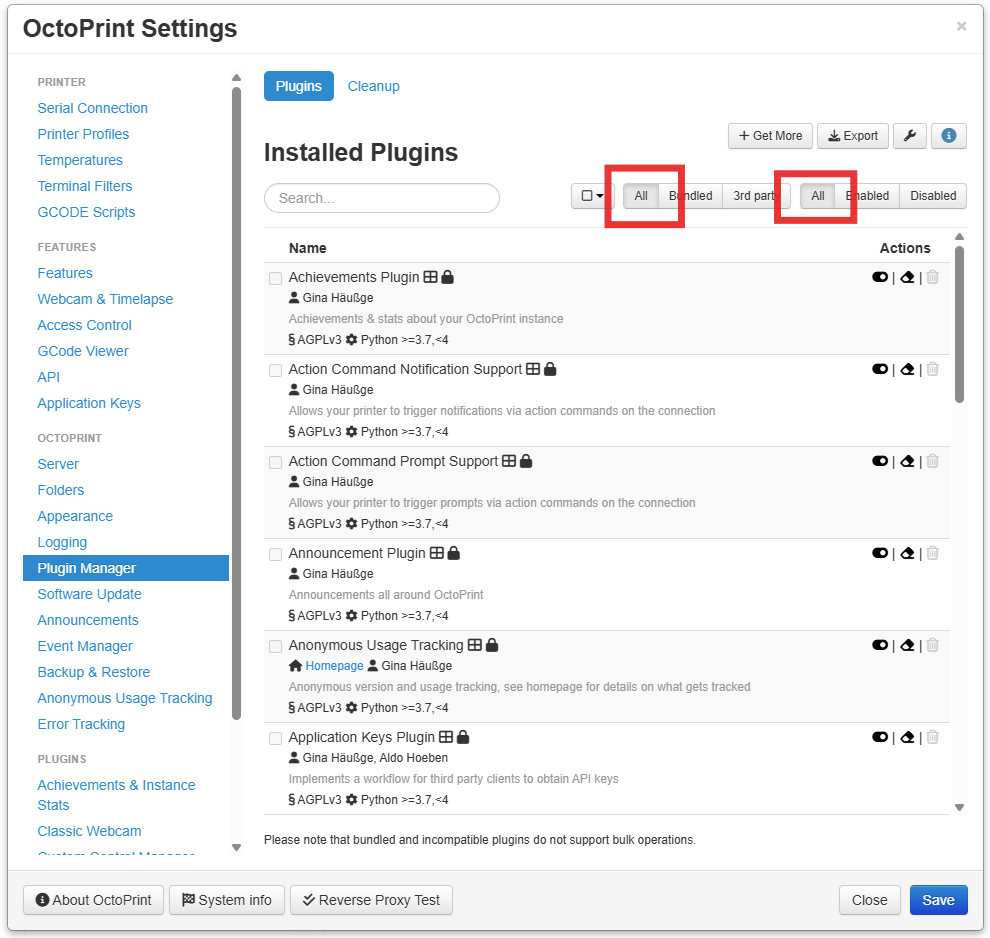
Should I see a list of plugins when I open plugin manager?
Where do I enter info for a internet connection,
you should see something like this, make sure the all buttons are enabled to insure it's not filtered.
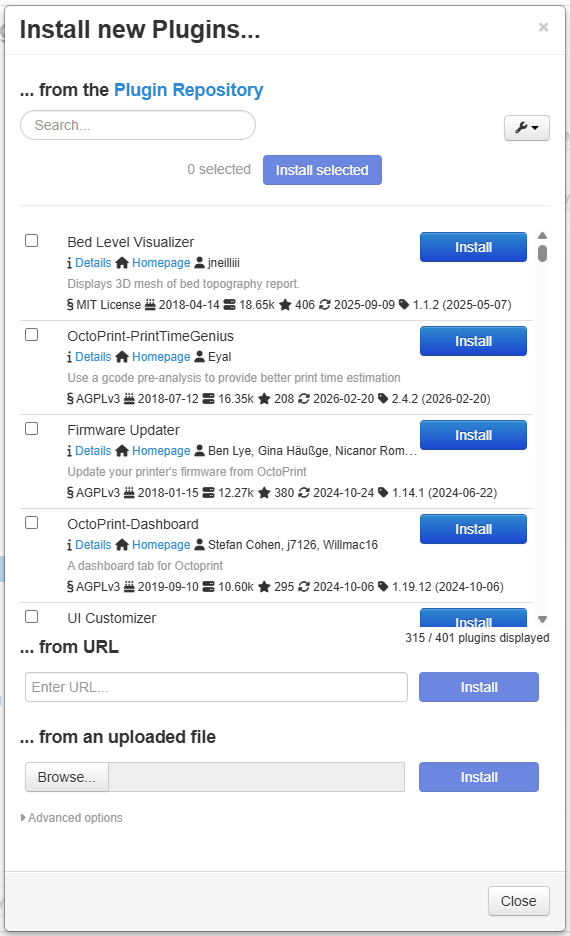
To get new plugins press the get more button and you should see this.
if the get more window doesn't show anything then your pi isn't able to pull the list from plugins.octoprint.org.