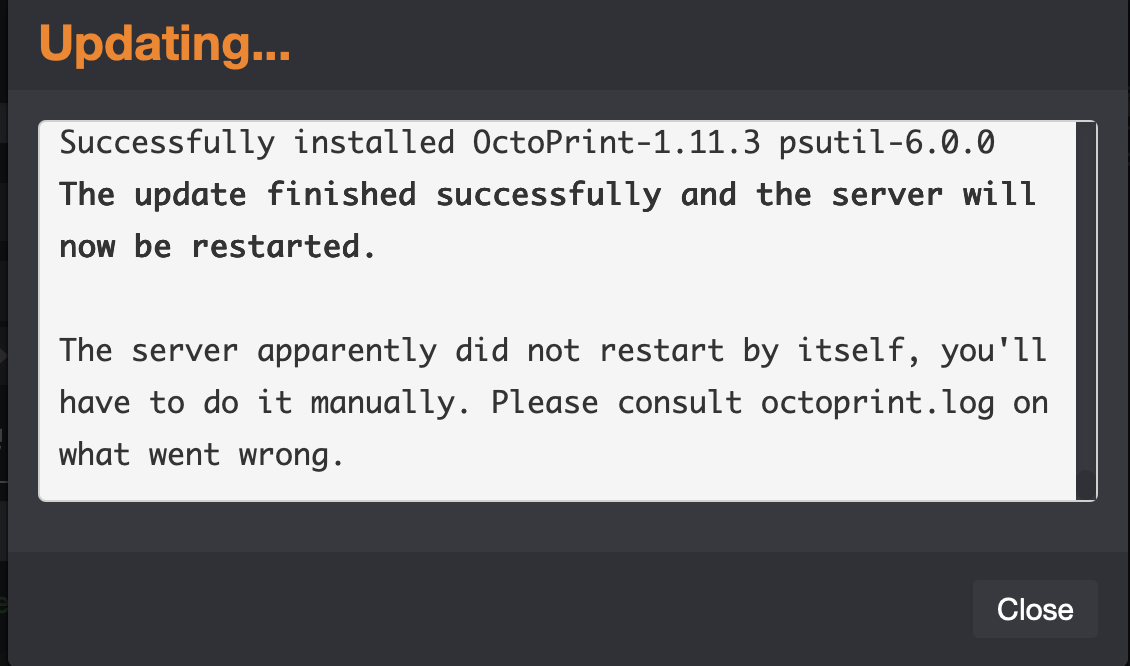
Consistent Restart failure after Octoprint Update in MacOS
What did you already try to solve it?
Unable to determine steps to resolve on my own. Cannot understand why Octoprint ALWAYS has refused to restart after an update. This has been the case since the very beginning.
Was my initial setup flawed somehow? Am I missing some crucial step? Shouldn’t Octoprint restart without issue after an update? It NEVER has, not even once. I always have to kill the Terminal process and then restart it manually. Can someone PLEASE tell me if I’m doing something wrong?? Drives me nuts!
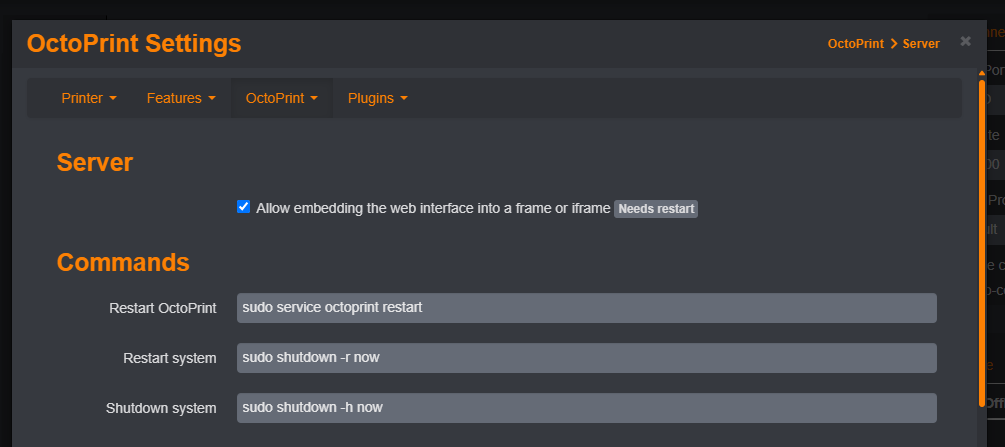
What do you have configured in settings under server for the restart command? Typically this would only happen if the command is wrong or a plugin is somehow blocking the restart process. Looking at your octoprint.log, I would try disabling octopod to start since it seems to be having lots of issues.
Under Server settings, this is all there is: RESTART_OCTOPRINT. I have a feeling that may be insufficient…is the path incomplete? I’m not any kind of Unix or Terminal expert, so I have no idea what the syntax for the restart command should be. If what’s there isn’t correct, what SHOULD it be?
either you used octoprint_deploy or manually installed OctoPrint? depending if you setup the optional service or not would determine the restart command. for example, the default OctoPi image uses these in its settings.
If I remember, it was setup manually. In that case, what would the syntax for the restart command look like? I tried the one you kindly provided in the image, but it did not work.
I wish there was a comprehensive MacOS 'Installer' for Octoprint, since there isn’t, I installed it manually based on the instructions provided (which worked for installation, but I’m stumped as to what the Restart Command should be).
Not super familiar with the Mac OS setup, but quick searching makes me think that launchctl might be the way to handle it, assuming you added the plist daemon method to have OctoPrint run all the time (autostart on boot section).