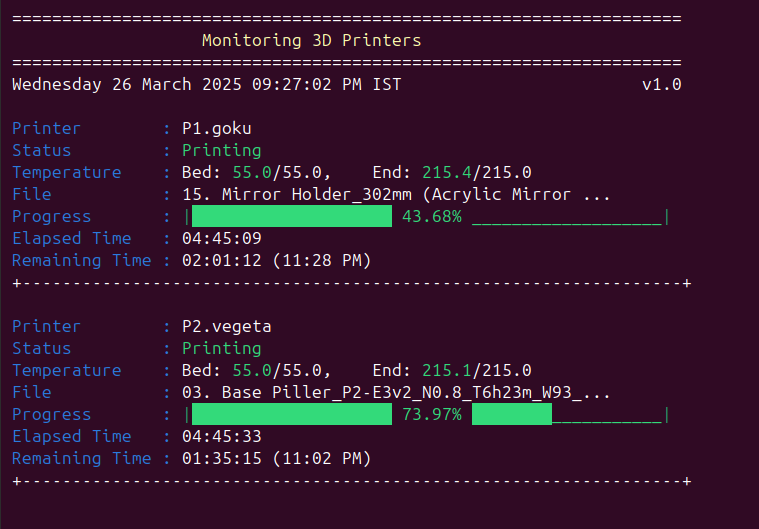
OctoWatch is a quick and simple dashboard for monitoring 3D printers, in your network. It uses OctoPrint’s API, and displaying live print progress, timing, and temperature data, ideal for resource-constrained system and a Quick peak at the progress of your prints.
Since i have 2, 3D printers and after customizing their firmware (for faster baud rates and some gcode tweaks, for my personal taste) - i connected them with Raspberry pi zero 2W each. Installed octoprint for each printer so i can control them via network.
Since octoprint is a web UI made with python, and it always takes 5-8 seconds to just load the dashboard. So, I created octowatch - it shows you the current progress with the minimalistic view of the dashboard.
If by chance, you have can use this to test it - your feedback is highly appreciated.
Note: This is made in bash, I will work on making it in batch/python as well, But i mainly use linux now...so, that might be taking time. Let me know, if you want this for other platforms too.
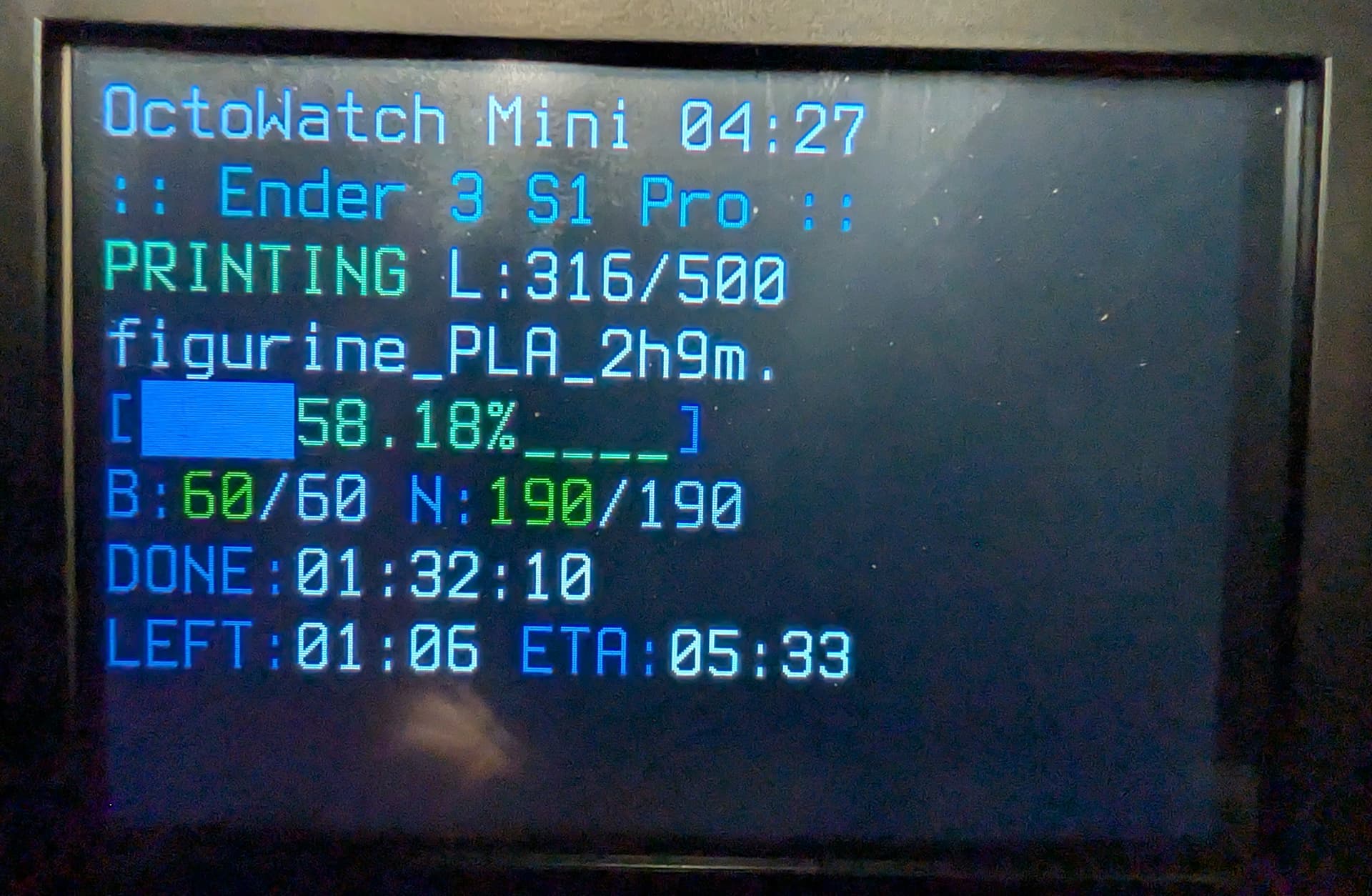
Octowatch sparked a project for me. After seeing this post and testing Octoprint on a large monitor I decided to buy a case with a 3.5-inch screen for my Raspberry Pi 4B to be able to display Octowatch on it. After some trial and error, I managed to get the Octoprint OS to display on the screen. Then I ran Octowatch. Due to the screen's size, things were not formatted correctly. After more troubleshooting, I was able to display the information properly on the screen.
Originally I was hoping to keep the code as close to what you had provided in Git Hub but through troubleshooting, formatting and not telling my AI assistant who helped to do so, the code is no longer close to the original code you provided.
The Octowatch title and the current time. (I named this script Octowatch Mini)
Name of the printer in the ini file
Status and current and total layer counts
File name
Percentage complete and progress bar
Temperature for the Bed and Nozzle
Hours, minutes, seconds of time elapsed on the current print
How many hours and minutes are left in the print and the estimated time the print will be completed
For the layers I am getting that information from the DisplayLayerProgress plugin because I had trouble getting the current layer information from Octoprint's API. I tried having the code try to calculate the current layer but it wasn't as accurate as the plugin.
If you would like the code let me know.
Thanks for the idea