What is the problem?
This problem was reported in 2022 apparently, but I have not found a solution. Prusaslicer reports a model size. I measure my part, it is a similar size. Octoprint reports the model is far outside the limits.
What did you already try to solve it?
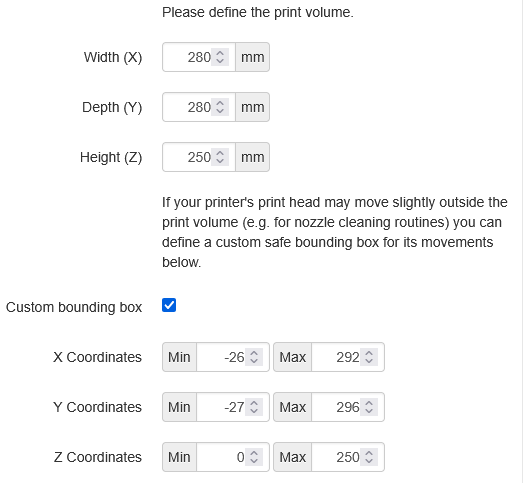
Added custom bounding box with a negative number for Y.
X: 250mm
Y: 210mm
Z: 270mm
Custom bounding box: based on where the filament purge line is.
X: 0min, 250max
Y: -16min, 210max
Z: 0min, 270max
Have you tried running in safe mode?
No
Did running in safe mode solve the problem?
n/a
Systeminfo Bundle
You can download this in OctoPrint's System Information dialog ... no bundle, no support!)
octoprint-systeminfo-20260108091659.zip (8.8 KB)
Additional information about your setup
OctoPrint version, OctoPi version, printer, firmware, browser, operating system, ... as much data as possible
Octoprint 1.11.5 Python 3.11.2. OctoPi 1.10 (build 2025.1201.130812
Core 1+, firmware 6.4.0
Safari, MacOS Sequoia 15.7.3
Physical model size: 76mm x 54mm x 12.7mm (also reported by slicer)
Position where sliced: X 190, Y 45, Z 6.35
Had similar problem with MK4S, but adding in the custom bounding box fixed it. For the Core 1+ it did not fix the problem. The physical purge line is no more than 16mm below the white box printed on the platen. The steel sheet platen white box measures 250 x 210 mm.
Octoprint reports:
Travel exceeds print volume in depth. Travel area: (0.00, -2.50, 0.00) x (249.00, 211, 40.00)
Objects bounding box: (152.22, -2.50, 0.00) x (249.00, 71.78, 15.00)
Print volume: (0.00, -16, 0) x (250.00, 210.00, 270.00)
What makes this kind of silly, is PrusaSlicer doesn't know the dimensions to fill out either, even though it's their slicer, and their printer... So I have two things to juggle.
To the best of my knowledge Core 1+ bed is 250 x 210, and max Z height is 270. That's what is loaded in the slicer. I tried searching for MAXX, MAXY, MINX, MINY stuff in the gcode, but those names are not in the file.
Anyways, is there a solution to this sort of thing? The 2022 thread closed, but I saw no solution. I saw no reference to this in the FAQ. It's dumb to turn off error checking, but false alarms are not good either. Perhaps I missed the thread where a solution is mentioned. If so, could you kindly point me to it.
The plate itself is larger than 250 x 210. That's just the white box. Physically it is 254 x 238.
I searched for Y211 and found a park command near the end of the file. It shows the following coordinates: G1 X242 Y211 F10200 ; park
The gcode is inserted by the PrusaSlicer, it's called end gcode. I have no idea why they did that...
Does this mean I should edit the bounding box for the printer (in Octoprint) to have a Y value max of 211?