What is the problem?
Currently I have an issue trying to setup my Octoprint plugin's environment. I ran and have read through the Octoprint plugin tutorial in Octoprint's master documentation however it seems to be somewhat outdated and it sometimes I get the feeling that a lot of things are left out.
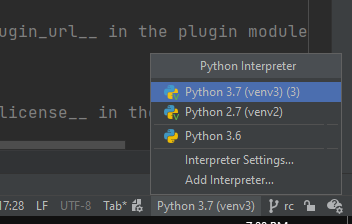
I have, however, figured out a lot by going into other plugin repos and simply digging in. One thing I haven't seen is how I should be setting up my environment so that I'm getting all of the proper intellisense (might not be the right word for it). I was struggling getting the utils for Octoprint to be recognized by Python (everything still works when used though) until I moved the folder from the main repo OctopPrint/src/octoprint into my own directory and voila! I get intellisense for all of the octoprint.whatever imports.
Now I'm trying to get the intellisense for pip packages that I've installed, like python-socketio. I have the package running perfectly but would like the warning Import "socketio" could not be resolved to go away and to get some assumptive typing to come through.
My current directory for everything looks like this:
root
  OctoPrint // The OctoPrint Repo
  OctoPrint-MyPlugin
    extras
    octoprint // this is copied from /OctoPrint/src/octoprint
    octoprint_myplugin
    venv // I copied this from OctoPrint as an attempt to get intellisense (it has python-socketio in it)
    // a bunch of other stuff I'm deeming not important
My work flow goes something like:
- open a terminal in root
- go to OctoPrint (the main repo)
- run
. venv/scripts/active(it isn'tbinon mine) - run
octoprint serve - open another terminal in root
- with the new terminal go to OctoPrint (the main repo)
- active venv again
- then I cd into my plugin
- then I run
octoprint dev plugin:installas needed
OctoPrint version: 1.6.1, my pc's OS: Windows 10, Python version: 3.7.10, Code editor: VS Code