I think I've seen things like this before when your Ultimaker account is set to enterprise mode or something like that. Are you able to logout/login with the person icon in the top right?
2 Likes
Wow! That was a fast reply. Thank you! Sadly this does not work, because it sill does the same thing. Thank you for your reply though. Much appreciated.
@jneilliii is probably correct. The plugin is not available for "Cura Essentials" users. This is not by my choice, but by Ultimaker's. "Cura Essentials" is Ultimaker's subscription-based enterprise thing, where they decide what plugins are or are not safe to use for you. In essence it boils down to pay to have less functionality for more money  .
.
Instead of adding the plugin via the marketplace website, try the Marketplace in Cura (top right corner). Make sure you are not logged in to your account in Cura. Also give the Marketplace dialog some time to populate. It takes around a minute on my system. Sigh.
1 Like
Sorry for the late reply. I did have an Ultimaker essentials account. I created a new Ultimaker account with out essentials and it now works. Thank you for all your help though.
Alternatively, you can just not log in to any account in Cura.
Hello @fieldOfView,
I try to use your plugin Octoprint on Cura but i don't have Webcam 
I'm on Cura 4.13.1 with Octoprint in 1.7.3
In log i just see :

Well, I can hardly fix that with software.
What is your problem exactly? You don't have a webcam, but that by itself does not stop you from using the plugin, does it?
lol i misspoke 
I have a webcam on my octoprint (C920), but the image does not display in Cura via the plugin
That makes more sense. Does the camera show in the OctoPrint web interface?
Can you please post a link to the full Cura.log? It can be found via Help -> Show configuration folder.
I have clean cura.log and restart it :
Like I asked before:
What (exact) url do you have configured for the webcam stream in OctoPrint?
Yes it's available :
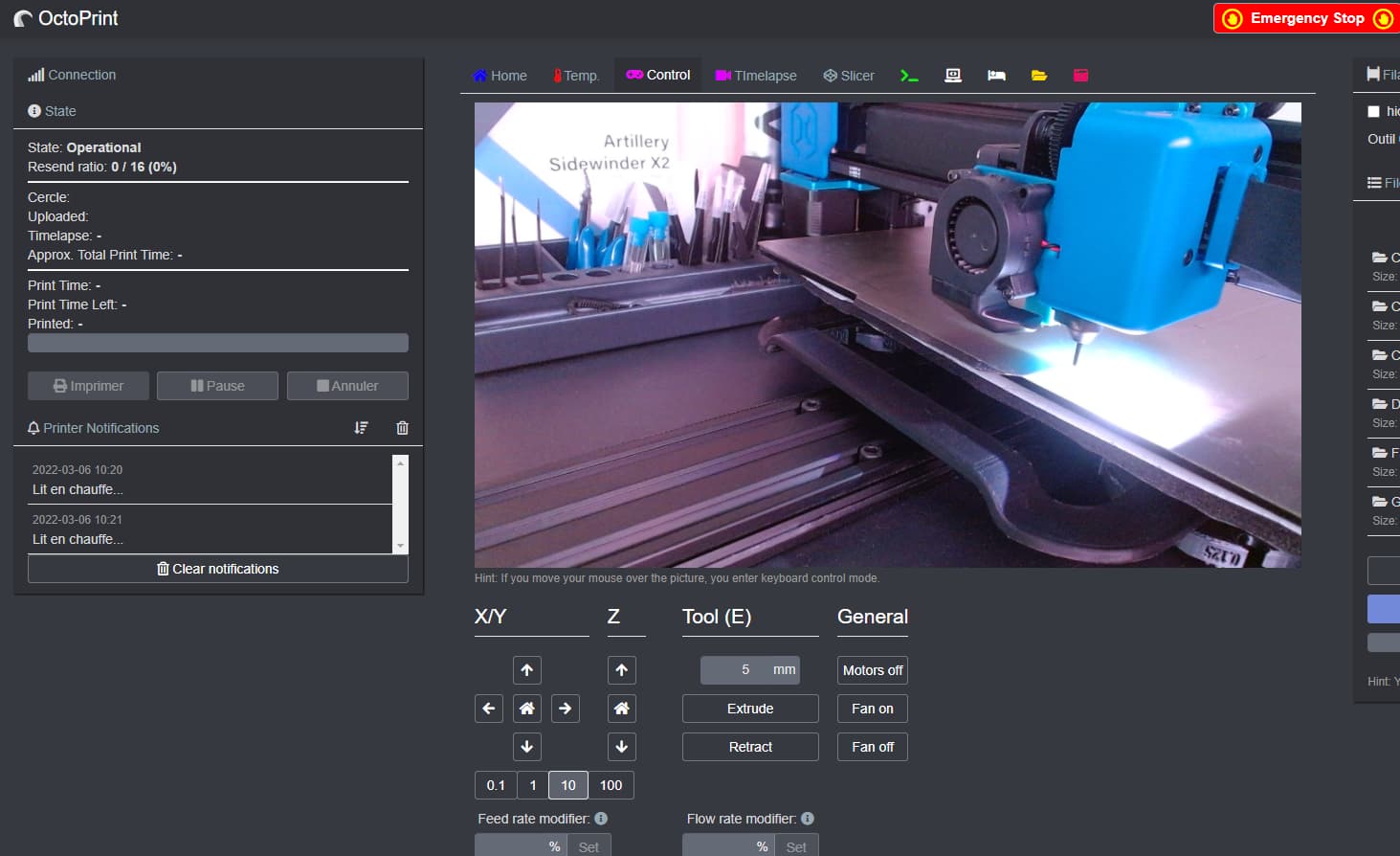
With this configuration :
Base Address : http://octoprint-webcam.octoprint:8080/
Snashot : {camera_address}?action=snapshot
Stream Address : https://3dprintcam.MDOMAIN.COM/?action=stream
EDIT : It's work (ssl problem) thx
1 Like
A prerelease of the plugin for Cura 5.0 beta is available here:
To download this prerelease version, go to the linked page and scroll down to the 'Assets' section. There you will see curapackages compatible with different versions of Cura. For the Cura 5.0 beta you will need to download the file ending with Cura5.0.curapackage. After downloading that file, drop it onto the 3d viewport in Cura 5.0 as if you were opening a 3d model. You will then be prompted to restart Cura. You can drop multiple curapackages one after the other without restarting each time if you want to install multiple plugins. If you want to test these updated release in an older version of Cura, please download the curapackage labeled for that version.
Need help, Im using Cura 5.0 and installed the latest Octoprint plugin but when i go to the printers i dont see the "connect to octoprint button". Any Thoughts?
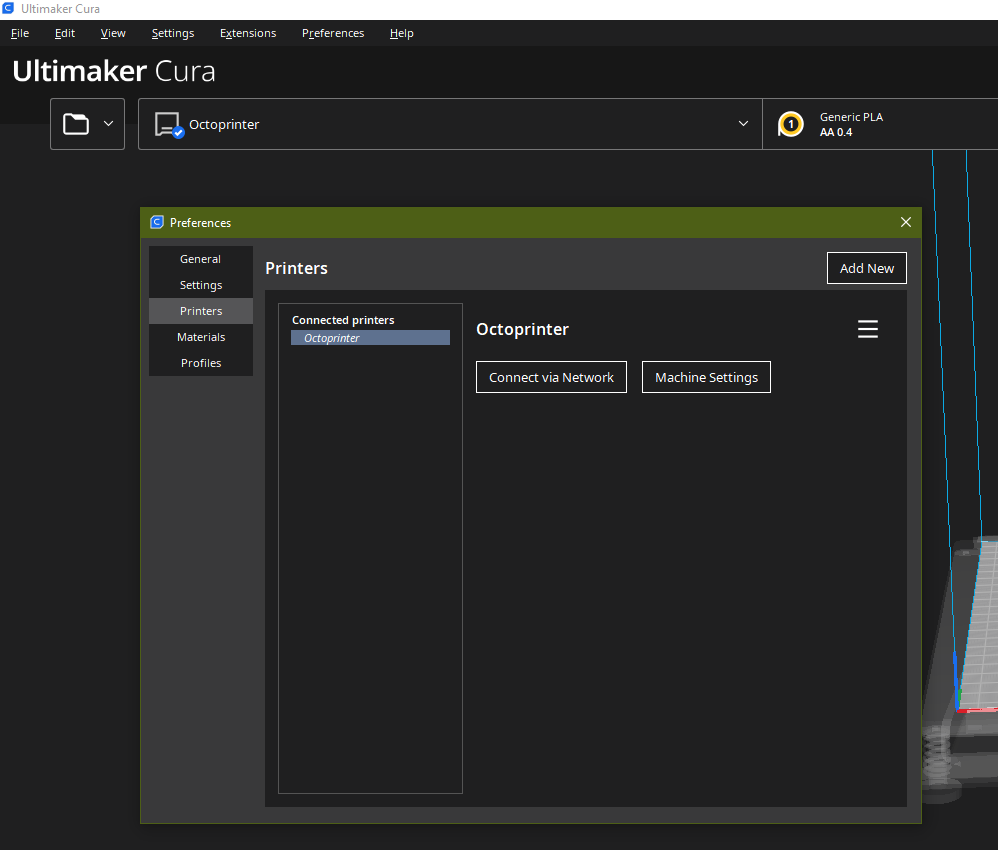
There seems to be an issue in Cura 5.0 where updating/installing plugins leads to a situation where Cura thinks/shows that the plugin is installed, but the plugin is not actually there. Please do the following:
- In the Marketplace, on the "manage" tab (cogwheel icon), uninstall the plugin
- Restart Cura (this is important)
- In the Marketplace, install the plugin again
- Restart Cura once again.
Thank you for the quick response. I just tried that again, no luck. it still doesn't show up.
Then I need to see your cura.log. See help->show configuration folder, and post a link to the cura.log inside the folder that opens.
Thank you so much!
here is a Gdrive link, Hope this works?
https://drive.google.com/file/d/11zpTXQth_jV0PPRC23vkNDajBRkSm4Rb/view?usp=sharing
@polndsprin what type of printer do you have? From the logs you provided, it looks like you have an Ultimaker 3 Extended. Ultimaker 3 and newer printers are not compatible with OctoPrint. They cannot be controlled via USB or any externally available serial port. Ultimaker printers have their own network connectivity suite which you already seem to have configured.
In short: the "Connect to OctoPrint" button does not show up because your printer cannot be connected to OctoPrint.
That explains everything! Thank you very much for taking the time to diagnose my issue.