Oh yikes, I'll definitely try to shut it down through the terminal from now on. While we're on the topic, are there any other procedures I should be doing for turning on or off? Like is it ok to just pull the plug on the printer? because I haven't seen any turn off settings on it.
Well yes. The easiest way would be to back them up when the pi is booted but of course that doesn't work.
If you're a windows user I guess the easiest way for you would be to get a linux live image (ubuntou for example), put it on a usb stick, boot it and mount the sd card. Now you backup all files you want.
If you got a second pi you could also connect a card reader to it and mount the card there and back your files up.
I don't have any experience with mac so I don't know if you can mount your sd card without doing anything. I guess the linux live image should also work on a mac.
I have backed up the files using a program which can read the EXT4 partition, how would I go about restoring the settings to the new installation?
Just thinking that if I restore everything, whatever was causing the problem on the current installation would return 
There's a lot of files here and the config alone doesn't seem to have all the settings.
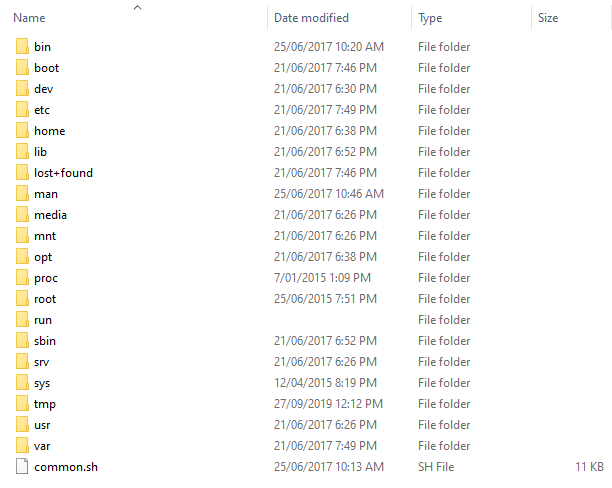
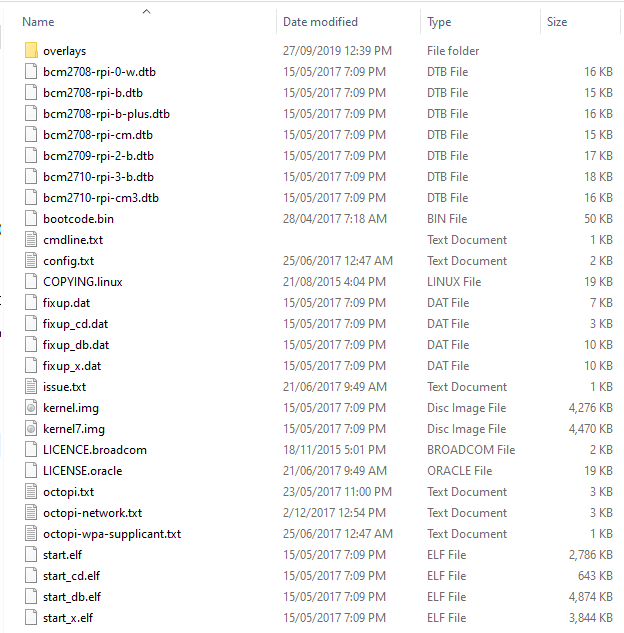
That's great!
If you didn't change it everything you need should be located in /home/pi/.octoprint
And as I said you don't need to shut it down via terminal - the webinterface does the same if you click on shutdown system 
btw which program are you using?
1 Like
Thanks I'll go ahead and reinstall now. I went through a couple for the program but in the end the one that worked for me was LinuxReader
Thanks to everyone who posted here, I've learnt quite a bit about octoprint in the process.
Turns out I can't put multiple solutions on so I'll just say it here, both post 9 and 17 were the solution.
1 Like
I'm not sure if that tool preserves the file attributes and that could maybe cause trouble when you copy a whole file back on your new system.
You could either open the config files on the new system via ssh and an editor like nano and just copy the whole text from a to b or copy the files on a linux system with cp -rp /home/my_home /media/backup/my_home which should preserve the file attributes.
I guess there should be no problem in backing up other things like timelapses your way.
Hmm in that case I think I'll go the usb bootable linux path, thanks again and perfect timing I was just about to format the SD card
1 Like
I haven't tried it but I would do it this way:
Boot the live linux, get onother usb drive and format it to ext4, mount it and the sdcard, copy the .octoprint folder with the command obove to the usb drive, put the new image on your sdcard, start the pi, put your usb drive in, mount it, delete the new .octoprint folder and copy the old folder back with the command.
Fingers crossed 
1 Like
I accidentally formatted the micro sd in linux while trying to format the sd card 
Linux is quite confusing for me. But ultimately something weird happened which made it possible for me to copy files from windows.
Basically right after I installed the image using etcher windows was able to open and edit the EXT4 partition (glitch?) but I was able to restore the settings through there and now in the console it seems as though some settings have been restored.
The calibration values on the M92 command are still there, or are they printer-side?
Yeah the M92 command is saved in eeprom on your printer
1 Like
Sorry to jump in here like this but when you say destroy something on the SD card do you mean corrupt a file or physically / permanently damage the SD?
1 Like
We hope he just messed up his filesystem and/or corrupted a file that is essential for booting and everything works again after he flashed a new image
I haven't had a chance to print yet, but everything seems to be functioning well.
1 Like
I disconnected and reconnected the raspberry pi
I believe sometimes time you reset it create a New IP address, ( usually just the last number),this address may some times be found under your router connection settings, links to the router
Re-reading all this, the original poster indicates that he's tried the Edge browser. We may then assume Windows (which doesn't have the Bonjour name resolution service added). Maybe this is just simply a problem of arp caching, name resolution and the limitations of Windows.
This is what I initially suspected as well (as it had happened before) however it wasn’t in the router devices list at all at the time. Ultimately, it was fixed by reinstalling octoprint