I'll see if I can figure this stuff out tomorrow, thanks for your time!
I recently pluged in my Pi3 to the usb port on my Brand New Ender 3 V2 and it communicated well. I then tried turning off the printer and the display remained on. I figured out by disconnecting the usb cable from the Pi eventually turned the screen off. Once I tried turning the Printer back on I got nothing, except a backlit display not showing anything and the fans. Looks like it killed my printer.
2 Likes
It may have not killed your printer. Can you try :
1 - Unplug everything, the Pi, the USB cable and the Power cable from the printer, remove the SDCard
2 - Use the power button from the printer, turn in on then off, a few times, waiting 5 second before each move
Discharging capacitors may help to completely reset your printer. Hopefully that'll change your current status ?
Thanks Koreth. Tried it as you recommended without any change
Hi, Ive bought My ender 3pro v2 in agust and was able to teg really cheap this creality cloud box and received it today. Wanted to test it, it is not seeing any printer, checked on 3 cables, tried to connect to pc, completly nothing. Im on Marlin. It looks like it is just not working
Hey @Lord_Ader
This is the OctoPrint community forum, we have no idea about the Creality WiFi box product. You might find some help from their support (or I think the have a forum too somewhere)
I just wanted to pinpoint that Creality Ender 3 Pro V2 could have faulty units with not working (or not working correctly) micro-USB
I'll agree, they do seem to have quite a few issues generally, not just USB... Thanks for the insight
Does the same apply to custom mainboards such as the BIGTREETECH SKR MINI E3? If so I might consider replacing the one I got from Creality and hope it fixes these strange glitches I'm getting..
There are lots of people that have done SKR upgrades (not sure on the mini e3 specifically) that are using OctoPrint without issues. It's been discussed in the Discord server.
I am having the same issues with OctoPi, and can't seem to connect at all. Never have been able to. I have tried Pronterface on my laptop as well. And with Pronterface I only see 'none' in the dropdown menu for ports. I am thinking I have a bad usb connection on my printer. Hoping the amazon seller will be responsive in helping me resolve this issue as it has only been 2 weeks since I bought it and have been trying to figure this problem out for at least half of that time.
So like many others the cable was the culprit. I went through 4 cables before finding a correct one. Even the 'thick' USB cables only had 2 wires in them for charging only, no data connectivity. I checked all four by slicing open the outer jacket. I then went to my office and found a new micro USB cable labeled data and charging cable, so I appropriated it... All is well in the universe now.
I feel silly now, because I was POSITIVE it could not be the cable I was using....
Yeah, I wish board manufacturer hadn't gone away from the USB Type B connectors to prevent this kind of confusion. You'd be hard pressed to find a power only version of that style cable I think.
I was able to fix this issue after taking a really tiny pick and scraping the contacts on the mini USB port on the front of the ender 3 printer board. Hope this helps someone. I used the pick to push the contacts up and make sure they dropped back down if that makes any sense. I could see the brass contacts stuck in the up position on two of the four contacts.
Weird, that trick worked for me. Octoprint on my Pi Zero 2W would not detect my Ender 5. I tried several known good data cables with no luck. I did your trick, disconnect Pi from USB, turn off Printer for 10 seconds, plug in Pi, and found I was able to connect with Octoprint.
So, is this something that can be fixed in the Octoprint setup in the Serial connection settings, I wonder?
Probably not though as is seems this is a PI issue as I could not see the port when connected via PUTTY and using the "lsusb" command. Once I used your 10 second trick I got this:
pi@PiZero2W-1:~ $ lsusb
Bus 001 Device 005: ID 05dc:a575 Lexar Media, Inc.
Bus 001 Device 006: ID 1a86:7523 QinHeng Electronics HL-340 USB-Serial adapter <<< Ender 5 printer***
Bus 001 Device 003: ID 046d:081b Logitech, Inc. Webcam C310
Bus 001 Device 002: ID 1a40:0101 Terminus Technology Inc. Hub
Bus 001 Device 001: ID 1d6b:0002 Linux Foundation 2.0 root hub
Not sure why this problem occurs. I have been running Octoprint on this printer for over 2 years and (with a Pi 3B+) but the reason I tried the Zero2W was because I ran into this issue with the Pi 3B+.
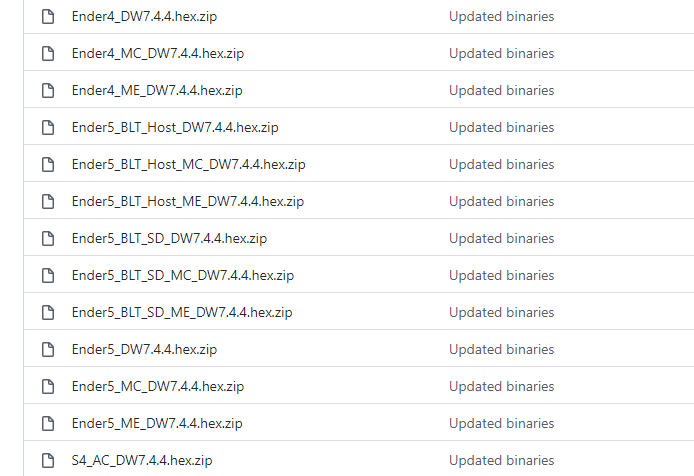
Not really sure it can be handled from settings as we believe it to be just crappy hardware/firmware combinations on Creality machines. If you haven't already, I would recommend flashing something non-creality firmware wise to your printer and see if it acts any different. Either compile Marlin from source directly yourself or get one of the pre-compiled firmware from InsanityAutomation's fork here. The readme explains the abbreviations and the files can be found in the hex files subfolder.
I took a look at InsanityAutomation's fork but it appears it doesn't support the original Ender 5, only the Plus/Pro versions. (I could be wrong).
I tried connecting the Pi to the Ender 5 with a power blocker on the USB cable, but that did not resolve the issue.
What is strange is that this printer has been working for over two years with Octoprint. I first started having this issue a few months ago and suspected the Pi 3B+ USB port so swapped in the Zero2W, but it is having the same issue. One has to wonder what changed. I have a second Ender 5 with another Pi3b+ and Octoprint running which has no issues connection.
I think I'll try cloning the SD card from the working one and trying it on the suspect machine.
Reviving this old thread with some more info. TLDR: I'm convinced this is a problem with the USB port on the board of the printer, and not an issue with the cable, or the software.
I have high-end USB cables that I use for programming microcontrollers; the cable is not the problem.
While printing, if I so much as bump the cable, anywhere near where it connects to the board (the port on the front of the printer), the print fails. To compound on this: any disturbance, no matter how small, causes this issue; the cable does not even approach being "disconnected", it's still firmly seated into the port.
I'm considering bypassing this port, and soldering a custom cable directly into the board (through the back), to bypass this issue altogether.